Put your community on your own address, like community.yourbrand.com, instead of your tribecrafter.app address.
Your tribecrafter.app address is for setup. Connect your own domain before you invite members: links in your emails and Stripe receipts use it. The tribecrafter.app address keeps working after you connect a domain.
Before you start
- Only the owner can do this. Other admins can see the page, but the buttons are off.
- You must be able to sign in where you manage your domain's DNS (for example GoDaddy, Namecheap or Cloudflare).
- Use a subdomain such as
community.yourbrand.com. A root domain such asyourbrand.comworks only if your DNS provider supports CNAME flattening (Cloudflare does, GoDaddy doesn't).
Steps
-
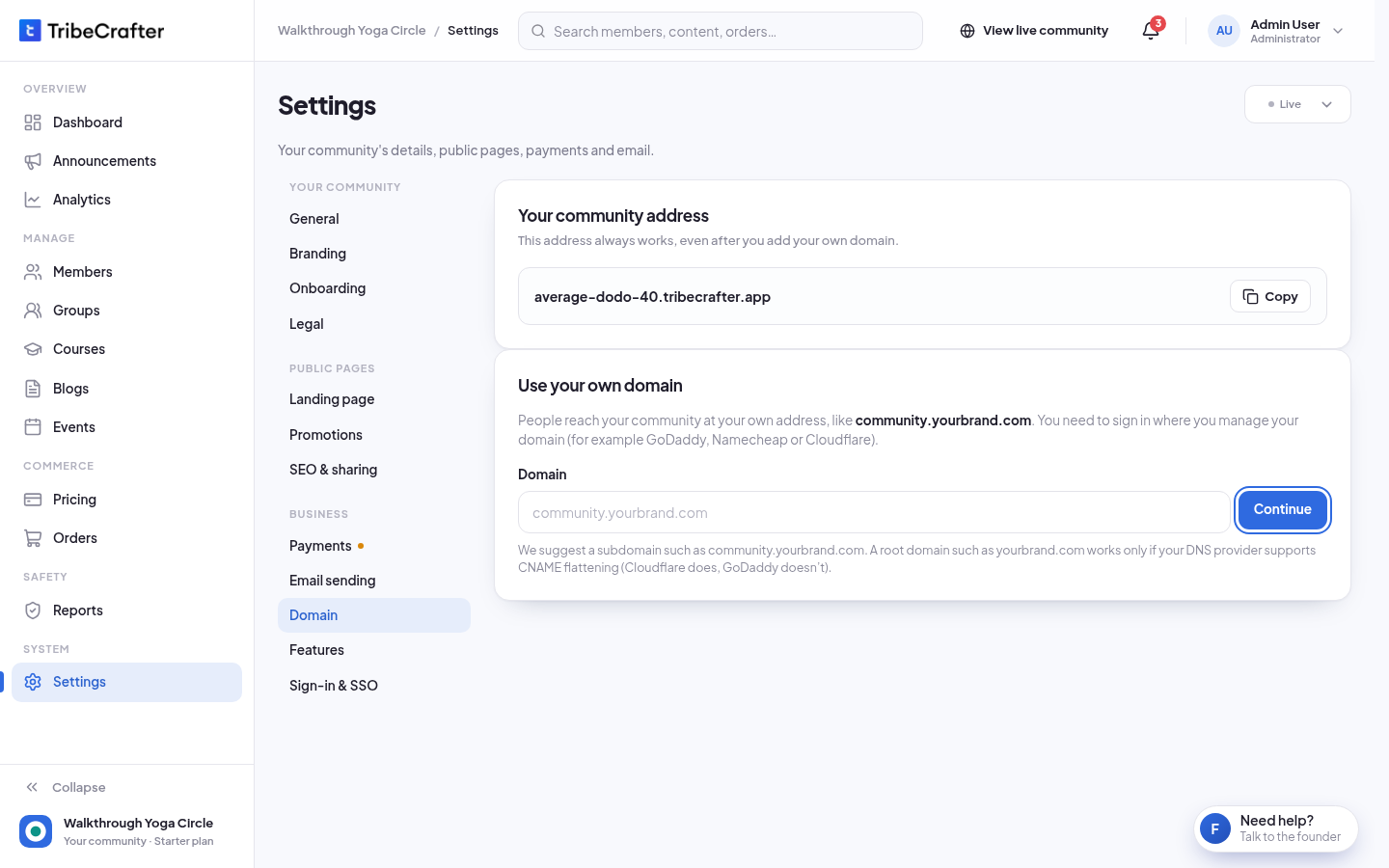
In Studio, go to Settings → Domain.
-
Under Use your own domain, type the address in Domain and click Continue.
-
Sign in where you manage your domain and open its DNS settings.
-
Add the record (or records) Studio shows. Click Copy next to each value so it matches exactly.
-
Back in Studio, click Check now. It can take a few minutes, sometimes up to a day.
-
When it works, you see " is live." The page shows a green Live label and Secure connection (HTTPS) On.
| You add | Records |
|---|---|
A subdomain (community.yourbrand.com) |
1 CNAME record |
A root domain (yourbrand.com) |
2 CNAME records: yourbrand.com and www.yourbrand.com. Members use the www address; the other one sends them there. |
The secure certificate renews by itself.
Change or remove your domain
You can have one domain at a time. To use a different one, remove the current one first.
- Click Remove domain.
- Type the domain to confirm, then click Remove.
After you remove a live domain, people who use that address get an error. Your community stays open at its tribecrafter.app address.
If something goes wrong
| Message | What to do |
|---|---|
| "Not connected yet." with a reason | Read the reason, fix the record, wait, and click Check now again. |
| "Use a domain you own." | You can't use a tribecrafter.app or tribecrafter.net address. |
| "Too many tries. Wait a minute, then try again." | Wait one minute. |