Make your community's emails come from noreply@yourbrand.com, not from no-reply@tribecrafter.app.
Your community sends emails for sign-up, receipts, event reminders and digests. They come from no-reply@tribecrafter.app until you set this up. Members trust your own name more, and fewer emails go to spam.
Before you start
- Only the owner can do this. Other admins can see the page, but the buttons are off.
- You must be able to sign in where you manage your domain's DNS (for example GoDaddy, Namecheap or Cloudflare).
Steps
-
In Studio, go to Settings → Email sending.
-
In Your domain, type your domain, like
yourbrand.com. Click Use my domain.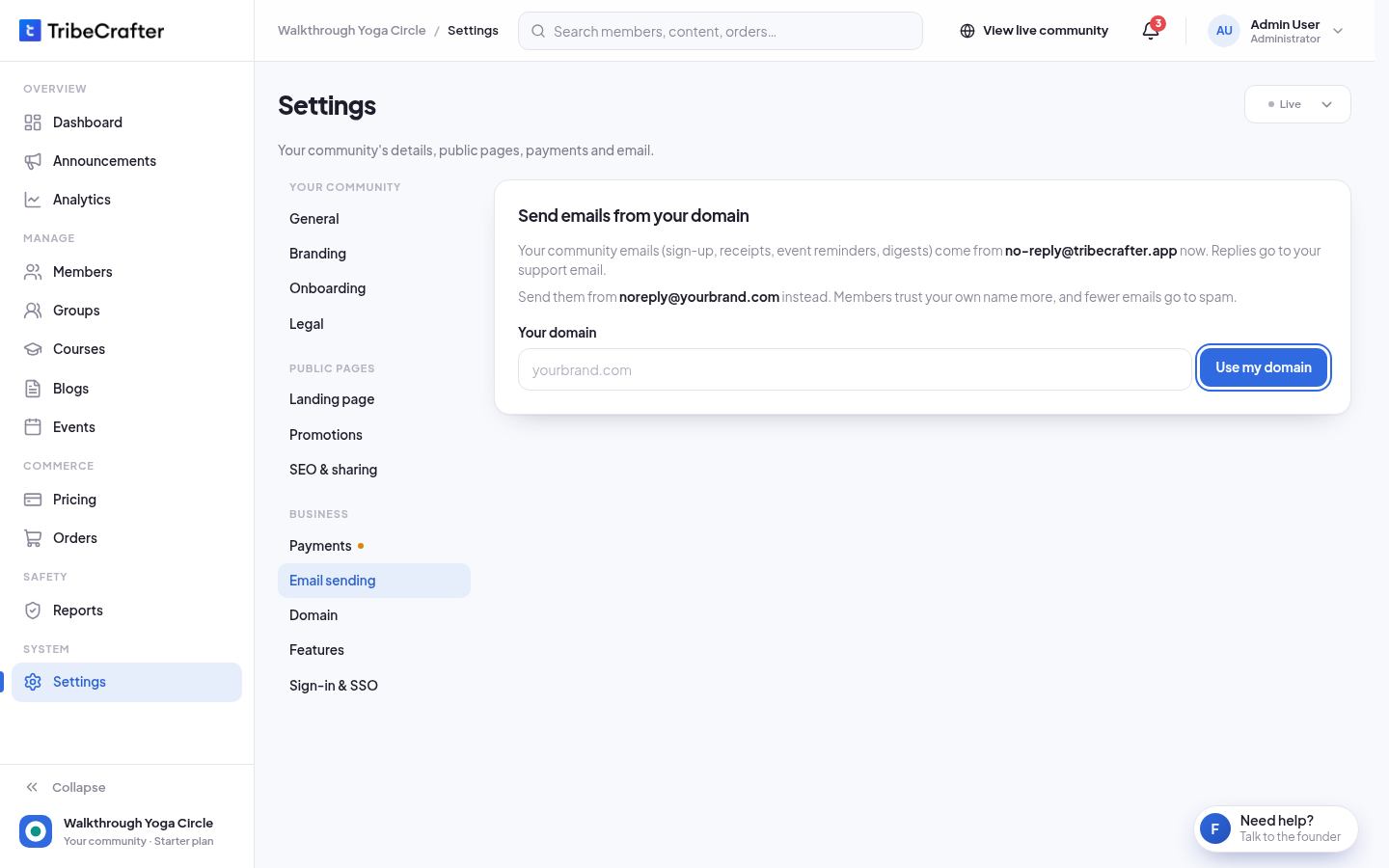
-
Sign in where you manage your domain and open its DNS settings.
-
Add each record that Studio shows. There are 5: 3 CNAME records, 1 MX record and 1 TXT record. Click Copy next to each value so it matches exactly. If your provider wants the full record names, tick My provider wants full names.
-
Back in Studio, click Check now. It usually takes a few minutes, sometimes a few hours.
-
When it works, you see "Verified. Emails now come from noreply@."
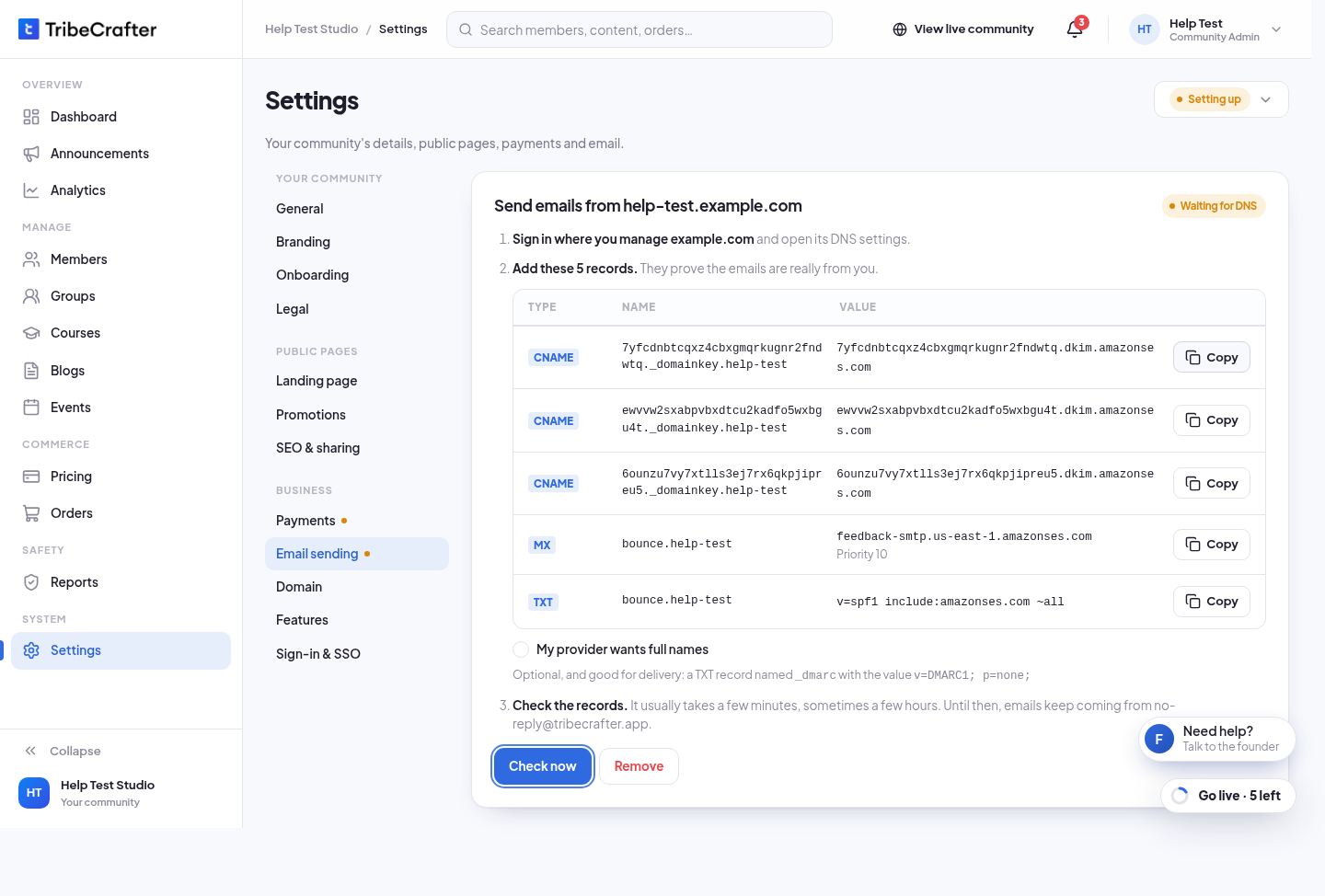
Until the domain is verified, emails keep coming from no-reply@tribecrafter.app. Nothing stops working while you wait.
Studio also suggests an optional TXT record named _dmarc with the value v=DMARC1; p=none;. It helps delivery.
After it is verified
- Replies go to your support email. To change it, click Change (it opens Settings → General).
- Sender name is the name members see next to the address. If you leave it empty, your community name is used. Click Save after you change it.
Stop using your domain
Click Stop using (before it is verified, the button is Remove). Type the domain to confirm, and click Remove. Emails go back to no-reply@tribecrafter.app. You can add a domain again later.
If something goes wrong
| Message | What to do |
|---|---|
| "We couldn't verify ." | Check that each record matches exactly, wait, then click Try again (or Check now after a page reload). DNS changes can take a few hours. |
| "Use a domain you own." | You can't use a tribecrafter.app or tribecrafter.net address. |
| " is already used as the email sender of another community." | Use a different domain, or remove it from the other community first. |
| "Too many tries. Wait a minute, then try again." | Wait one minute. |