Set your community's name, tagline, currency, support email and the links to your privacy policy and terms.
Any Community Admin can change these. They are on two Settings pages: General and Legal.
General
- In Studio, go to Settings → General.
- Fill in the fields, then click Save changes. You see "Changes saved successfully."
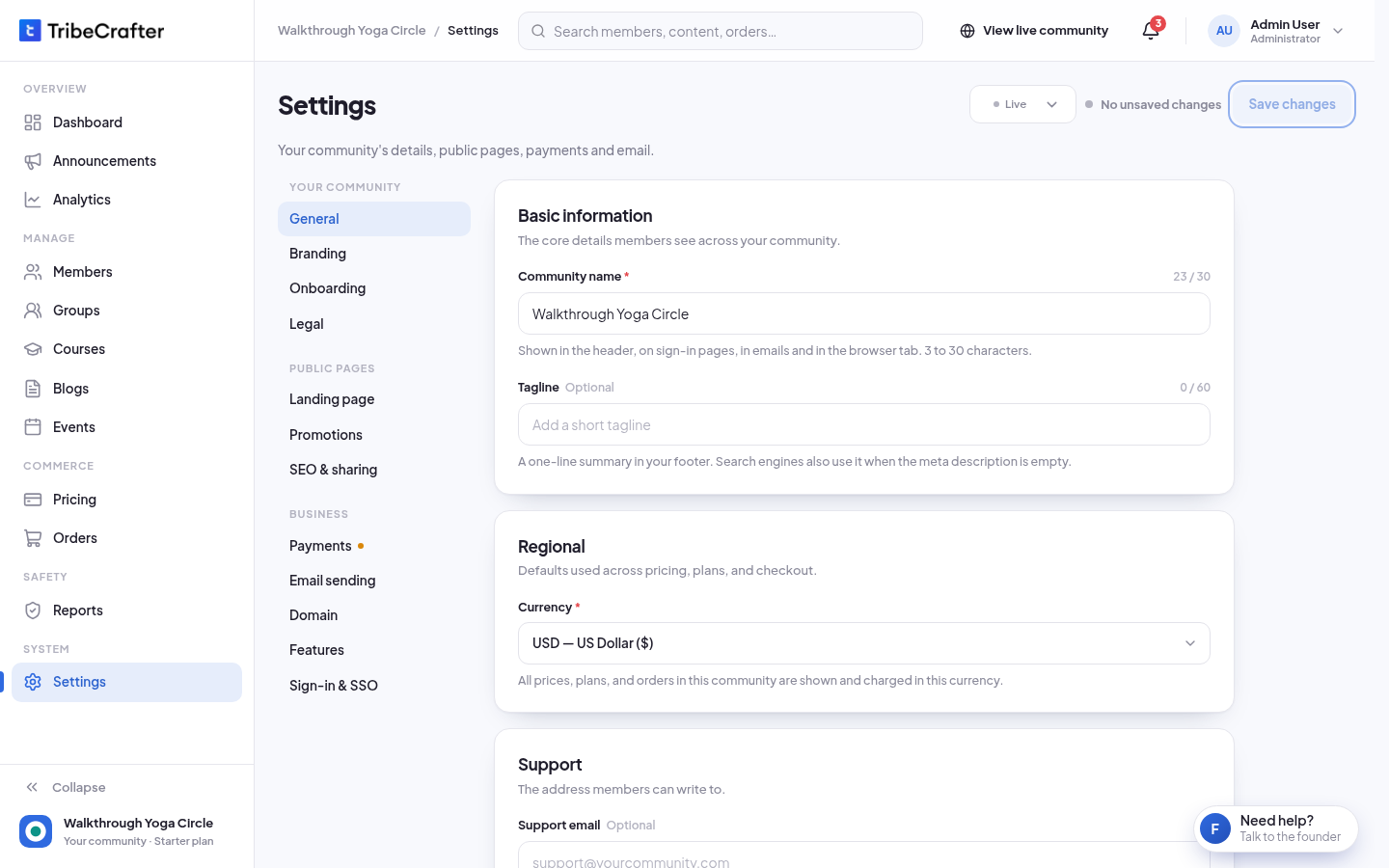
| Field | What it does | Limit |
|---|---|---|
| Community name | Shown in the header, on sign-in pages, in emails and in the browser tab. Required. | 3 to 30 characters |
| Tagline | A one-line summary in your footer. Search engines also use it when you leave the meta description empty. | Up to 60 characters |
| Currency | All prices, plans and orders in your community use this currency. | 8 currencies |
| Support email | Emails from your community use it as the reply address. | A valid email address |
The currencies are USD, EUR, GBP, INR, AUD, CAD, AED and SGD. The default is USD.
Pick your currency before you sell
When a plan or product is no longer a draft, or when you have an order, the Currency list is locked. You see "Prices and orders already use . Contact support to change the currency." To reach support, use Need help? in Studio.
Changing the currency does not convert your prices. If you change it before you sell, check your plans and products afterwards.
Legal
- Go to Settings → Legal.
- Paste the full link to your privacy policy in Privacy Policy URL, and to your terms in Terms & Conditions URL.
- Click Save changes.
The links show in your community footer. Both are optional. Each link must start with https://. A link that starts with http:// is refused: "Enter a valid HTTPS URL (starting with https://)."
TribeCrafter does not host your policy text. Put it on your own website and link to it here.
If something goes wrong
| Message | What to do |
|---|---|
| "Community name is required." | Add a name. |
| "Community name must be at least 3 characters." | Make the name longer. |
| "Enter a valid email address (e.g. support@yourcommunity.com)." | Check the support email for a typo. |
| "Fix the highlighted field to save General." | A field above has an error. Fix it and save again. |
If you leave the page with changes you did not save, Studio asks "Leave without saving?".