Connect your website or app to a TribeCrafter community, so your users sign in to the community with the account they already have.
How it works
- A user is signed in on your platform and goes to the community.
- Your server makes a short JWT that says who the user is, signed with your private key.
- Your server sends the user's browser to the community's callback URL with that token.
- The community checks the token with your public key. It signs the user in, and on their first visit it creates their account as a member.
The community never calls your API. Everything it learns about a user comes from the token. The one exception: if you send a photo link, it downloads the photo once.
Before you start
The owner of the community saves the SSO settings in Studio. Only the owner can do this. You work out the values together:
You give the owner:
| Item | Where it goes in Settings → Sign-in & SSO |
|---|---|
Public key, key name (kid) and type (ES256 or RS256). See SSO keys explained: public vs private. |
Public keys |
The page where users sign in on your platform, for example https://acme.com/login |
Your login page |
| Button text, for example "Continue with Acme" (up to 40 characters) | Button label |
| Optional: the page that signs users out on your platform | Your logout page |
All addresses must start with https://.
The owner gives you:
| Item | Value |
|---|---|
Audience (aud) |
https:// plus the address under Settings → Domain → Your community address, for example https://your-community.tribecrafter.app. It never changes, even after the owner adds their own domain. |
| Callback URL | https:// plus the address members use, plus /sso/callback. With the community's own domain: https://community.acme.com/sso/callback. Without one: https://your-community.tribecrafter.app/sso/callback. |
| Member status URL (optional) | Only if you want to suspend members from your server. The owner asks TribeCrafter for it through Need help? in Studio. |
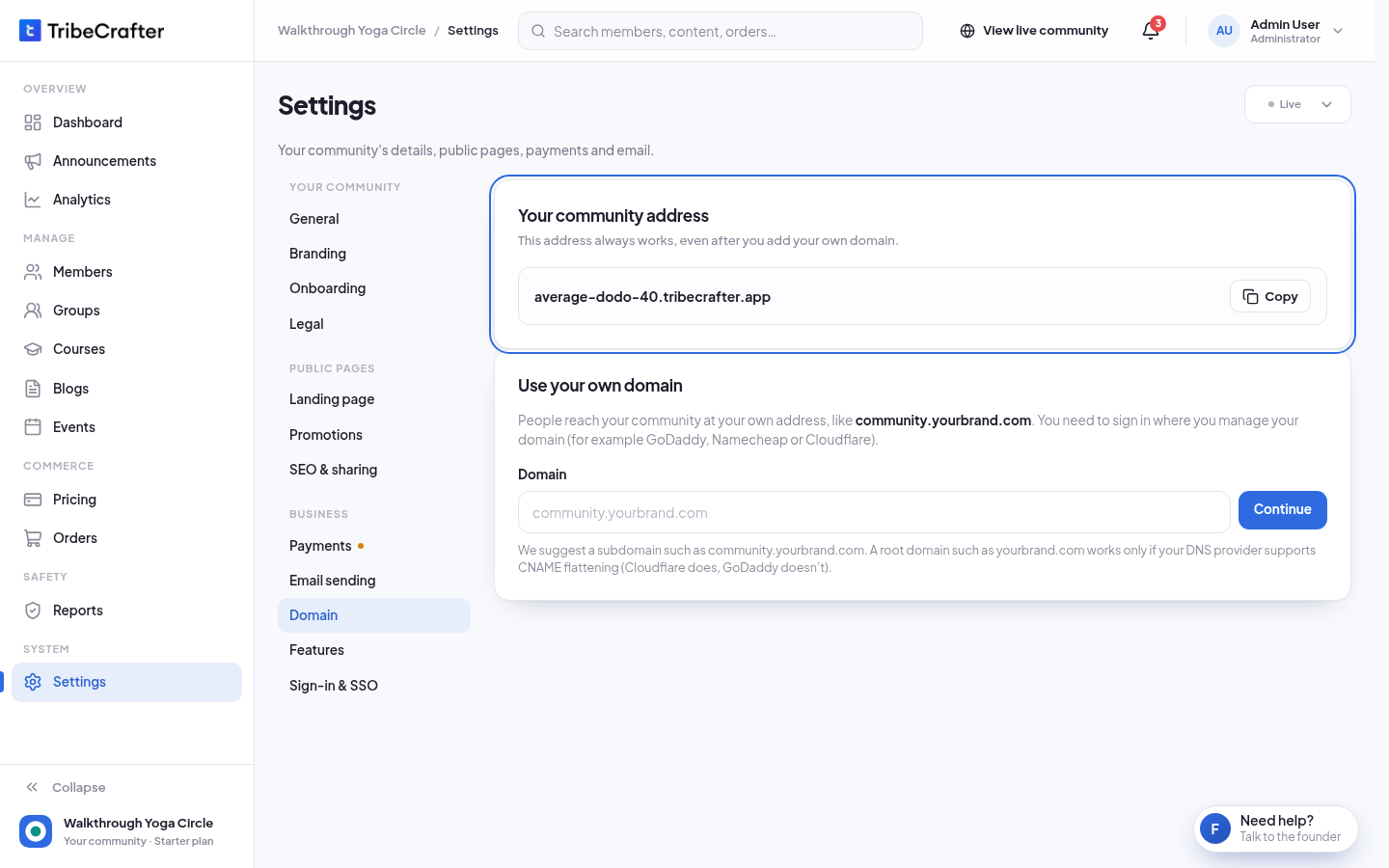
Own domain: a member's session works only on the address in the callback URL. If members use the community's own domain, put the callback there. The owner also fills in Community address for sign-in with that address (for example https://community.acme.com). Members who click your button on the .tribecrafter.app address are then moved to that address first. If the domain changes later, change the callback URL and that field at the same time. The audience stays the same.
Test, then go live
In Settings → Sign-in & SSO, under Sign in with your website (SSO), the owner picks Off, Testing or Live and clicks Save changes:
| Mode | What happens |
|---|---|
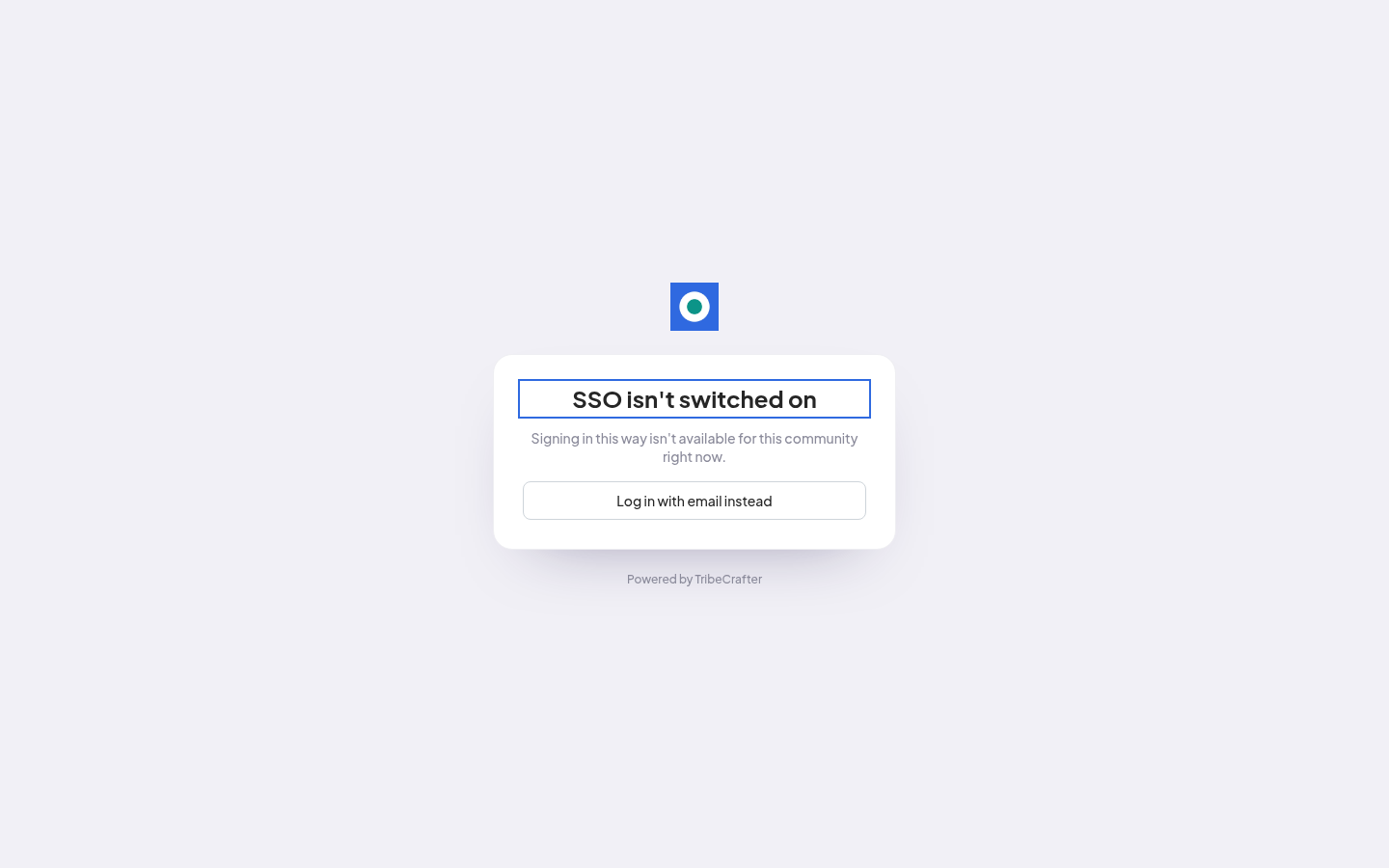
| Off | Members sign in with email and password. Tokens are refused ("SSO isn't switched on"). |
| Testing | Your sign-in links work, but the login page shows no button yet. Use this while you test. |
| Live | The login page shows your button first. Needs Button label and Your login page. |
Accounts created or linked in Testing are real community accounts. Test with real user ids and emails from your production system, and with an ordinary member, not an admin.
1. The token
A JWT signed with your private key.
Header
| Field | Value |
|---|---|
alg |
ES256 or RS256, the same as the key type the owner picked in Studio (ES256 or RS256) |
kid |
The key name saved in Studio |
Claims
| Claim | Required | Value |
|---|---|---|
sub |
Yes | Your permanent user id, as a string (up to 255 characters). Never reuse it for another person. |
email |
Yes | The user's email. It must be a real address (not .local or .test). |
email_verified |
Yes | true. Send a token only for an email you have verified. |
aud |
Yes | The audience. |
iat |
Yes | Issued at, in seconds. |
exp |
Yes | Expiry. At most 5 minutes after iat. We suggest 2 minutes. |
jti |
Yes | A random unique id, for example a UUID. Each token works once. |
given_name |
No | First name (up to 50 characters are kept). |
family_name |
No | Last name (up to 50 characters are kept). |
name |
No | Full name, if you don't have first and last name. |
picture |
No | An https:// link to the profile photo. |
Leave out claims you don't have. Empty values are ignored.
What the claims do:
- Email follows your platform. A changed email updates the community account on the next sign-in. The member gets a change notice and is signed out on their other devices. Members can't change it in the community.
- Names and photo only fill in a new account. After that, the member owns them, and later tokens don't change them.
- Roles: every SSO user is a member. Admins give roles in the community. The token can't.
- Existing account with the same email: the user is signed in to that account and it is linked to your
sub. - Community Admins, Moderators, Course Managers and Blog Managers can't sign in through SSO, and that includes the owner. They click Log in with email instead and use their email and password.
Example payload
{
  "sub": "user_18422",
  "email": "sam@example.com",
  "email_verified": true,
  "given_name": "Sam",
  "family_name": "Rivera",
  "picture": "https://cdn.example.com/avatars/18422.jpg",
  "aud": "https://your-community.tribecrafter.app",
  "iat": 1790000000,
  "exp": 1790000120,
  "jti": "3b1f8f0e-6a8e-4a55-9d5e-2f1c9a7b1e44"
}
2. Sign the token (on your server only)
Node.js (npm i jose)
import { SignJWT, importPKCS8 } from 'jose';
import { randomUUID } from 'node:crypto';

const privateKey = await importPKCS8(process.env.TC_SSO_PRIVATE_KEY, 'ES256');

export async function communityToken(user) {
  return new SignJWT({
    email: user.email,
    email_verified: true,
    given_name: user.firstName,
    family_name: user.lastName,
    picture: user.avatarUrl,
  })
    .setProtectedHeader({ alg: 'ES256', kid: 'acme-2026' })
    .setSubject(String(user.id))
    .setAudience('https://your-community.tribecrafter.app')
    .setIssuedAt()
    .setExpirationTime('2m')
    .setJti(randomUUID())
    .sign(privateKey);
}
PHP (composer require firebase/php-jwt)
use Firebase\JWT\JWT;

function community_token(array $user): string {
    $now = time();
    $payload = [
        'sub'            => (string) $user['id'],
        'email'          => $user['email'],
        'email_verified' => true,
        'given_name'     => $user['first_name'],
        'family_name'    => $user['last_name'],
        'aud'            => 'https://your-community.tribecrafter.app',
        'iat'            => $now,
        'exp'            => $now + 120,
        'jti'            => bin2hex(random_bytes(16)),
    ];
    $privateKey = getenv('TC_SSO_PRIVATE_KEY'); // PEM contents
    return JWT::encode($payload, $privateKey, 'ES256', 'acme-2026');
}
Python (pip install pyjwt cryptography)
import os, time, uuid, jwt

def community_token(user):
    now = int(time.time())
    payload = {
        "sub": str(user.id),
        "email": user.email,
        "email_verified": True,
        "given_name": user.first_name,
        "family_name": user.last_name,
        "aud": "https://your-community.tribecrafter.app",
        "iat": now,
        "exp": now + 120,
        "jti": str(uuid.uuid4()),
    }
    return jwt.encode(payload, os.environ["TC_SSO_PRIVATE_KEY"], algorithm="ES256",
                      headers={"kid": "acme-2026"})
3. Send the user to the community
Make the token at the moment of the redirect. It expires in minutes and works once.
POST (recommended). It keeps the token out of URLs and browser history. Return this page from your server:
<!doctype html>
<html><body onload="document.forms[0].submit()">
  <form method="post" action="https://community.acme.com/sso/callback">
    <input type="hidden" name="token" value="{{TOKEN}}">
    <input type="hidden" name="return_to" value="{{OPTIONAL_PATH}}">
    <noscript><button type="submit">Continue to the community</button></noscript>
  </form>
</body></html>
GET also works:
302 Location: https://community.acme.com/sso/callback?token={{TOKEN}}
When to send a user:
- They clicked your button on the community's login page (Live only). The community sends them to Your login page. Once they are signed in with you, sign a token and send them to the callback. Leave
return_toout: the community remembers the page they wanted for 30 minutes. - They clicked a community link on your platform. Sign a token and send them to the callback. To open a page, add
return_towith a path inside the community, for example/groups/photography. It must start with one/. Full URLs and sign-in pages (/login,/logout,/register,/sso/...) are ignored.
Where they land: on the first visit, the community's onboarding, with the name and photo filled in if you sent them. After that, the page they asked for, or the feed.
4. Log out
When a member who signed in through SSO logs out of the community, the community ends its session. If Your logout page is set, it then sends them there. That page must sign the user out on a plain GET, with no confirmation step. Without it, the user stays signed in on your platform, and your button signs them straight back in.
Logging out on your platform doesn't end an open community session.
5. Remove a user
Stop making tokens for them, and they can't sign in through SSO again. A session they already have stays open. To end it, suspend them:
- A Community Admin or Moderator suspends them in Studio (Members, then Suspend member). They are signed out at once.
- Or your server suspends them with the member status API below. They are signed out on their next page load.
A suspended member can't sign in again, through SSO or by email, until an admin clicks Reactivate member in Studio or your server sends reinstate.
Suspend or reinstate from your server (optional)
Send a POST to the member status URL with the JSON body {"token": "<token>"}. Sign the token with the same key as a sign-in token, with these claims:
| Claim | Value |
|---|---|
aud |
The audience plus /sso/members, for example https://your-community.tribecrafter.app/sso/members. A sign-in token is refused here, and this token can't sign anyone in. |
sub |
The user's id, the same as at sign-in. |
action |
"suspend" or "reinstate". |
iat, exp, jti |
Same rules as sign-in: at most 5 minutes, a new jti each time. |
Leave out email and the profile claims. The header is the same as for sign-in.
// Node.js, same key and imports as above. action: 'suspend' or 'reinstate'
export async function setCommunityMemberStatus(userId, action) {
  const token = await new SignJWT({ action })
    .setProtectedHeader({ alg: 'ES256', kid: 'acme-2026' })
    .setSubject(String(userId))
    .setAudience('https://your-community.tribecrafter.app/sso/members')
    .setIssuedAt()
    .setExpirationTime('2m')
    .setJti(randomUUID())
    .sign(privateKey);

  const res = await fetch(process.env.TC_MEMBER_STATUS_URL, {
    method: 'POST',
    headers: { 'Content-Type': 'application/json' },
    body: JSON.stringify({ token }),
  });
  const body = await res.json();
  if (!res.ok) throw new Error(`Community member update failed: ${res.status} ${body.error}`);
  return body; // { sub, status: 'suspended' | 'active', changed: true | false }
}
- Suspend suspends the account and ends all its sessions.
- Reinstate lifts a suspension, made by you or in Studio. It changes nothing else.
- Both are safe to repeat.
changedisfalsewhen the member was already in that state. - Members only. Community Admin, Moderator, Course Manager and Blog Manager accounts are never changed.
- After a network error or a 500, sign a new token and try again. A token sent twice is refused.
| Status | Body | Meaning |
|---|---|---|
| 200 | {"sub": "user_18422", "status": "suspended", "changed": true} |
Done. |
| 400 | {"error": "invalid_token"} |
Wrong key, kid, alg or aud, a missing claim, an unknown action, or the token was changed. |
| 401 | {"error": "token_expired"} |
exp has passed, the lifetime is over 5 minutes, or your server clock is off. |
| 401 | {"error": "token_replayed"} |
The same token was sent twice. |
| 403 | {"error": "sso_disabled"} |
SSO is Off, or no key is saved. |
| 403 | {"error": "staff_account"} |
The user is a Community Admin, Moderator, Course Manager or Blog Manager. Nothing changed. |
| 404 | {"error": "member_not_found"} |
No community account has this sub. Users who never signed in have no account. |
| 409 | {"error": "cannot_reinstate"} |
The account isn't suspended or active, for example a removed account. |
| 500 | {"error": "server_error"} |
A problem on our side. Try again with a new token. |
Errors your users might see
A failed sign-in opens a page on the community with one of these headings:
| Heading | Likely cause |
|---|---|
| "Sign-in link invalid" | Wrong key, kid, alg or aud, a missing claim, an email we can't use, a sub over 255 characters, or the token was changed. |
| "Sign-in link expired" | exp has passed, exp is more than 5 minutes after iat, iat is in the future, or your server clock is off. Keep it synced with NTP. |
| "Sign-in link already used" | The same token was sent twice. Make a new token for each redirect. |
| "Email not verified" | email_verified is missing or not true. |
| "Account suspended" | The member is suspended. |
| "Staff account" | The user is a Community Admin, Moderator, Course Manager or Blog Manager. They log in with email and password. |
| "Already signed in" | The browser is signed in to the community as someone else. The user logs out of the community first. |
| "Email already in use" | Another account in the community has this email, or the email is linked to another sub. |
| "SSO isn't switched on" | SSO is Off, or no key is saved. |
| "Too many sign-in attempts" | Too many sign-ins from one network in a minute. Wait a minute. |
| "Something went wrong" | A problem on our side. Try again. |
Test checklist
- A new user goes through onboarding with their profile filled in, then lands on the feed.
- The same user comes back and goes straight in.
- A user who already had a community account with the same email lands in that account.
- After you change a user's email, their next sign-in updates it in the community.
- A link from your platform with
return_toopens that page. - Sending the same token twice is refused, and so is an expired token.
- In Live: from a logged-out community page, your button brings the user back to that page.
- Logging out of the community goes to your logout page, if set.
- An admin's email sent through SSO shows "Staff account".
- If you use the member status API: suspending a test member signs them out on their next page load. Reinstating lets them sign in again.
Security checklist
- Sign tokens and call the member status API only from your server. The private key never goes into a browser, an app or a repository.
- Set
email_verified: trueonly for emails you have verified. - Use a
subthat never changes and is never reused. - Make a new token (new
jti) for every redirect, with an expiry of 5 minutes or less. - Use HTTPS everywhere.