Edit the public page visitors see before they join: the hero, benefits, featured items, testimonials and the last call to action.
Any Community Admin can do this.
Steps
-
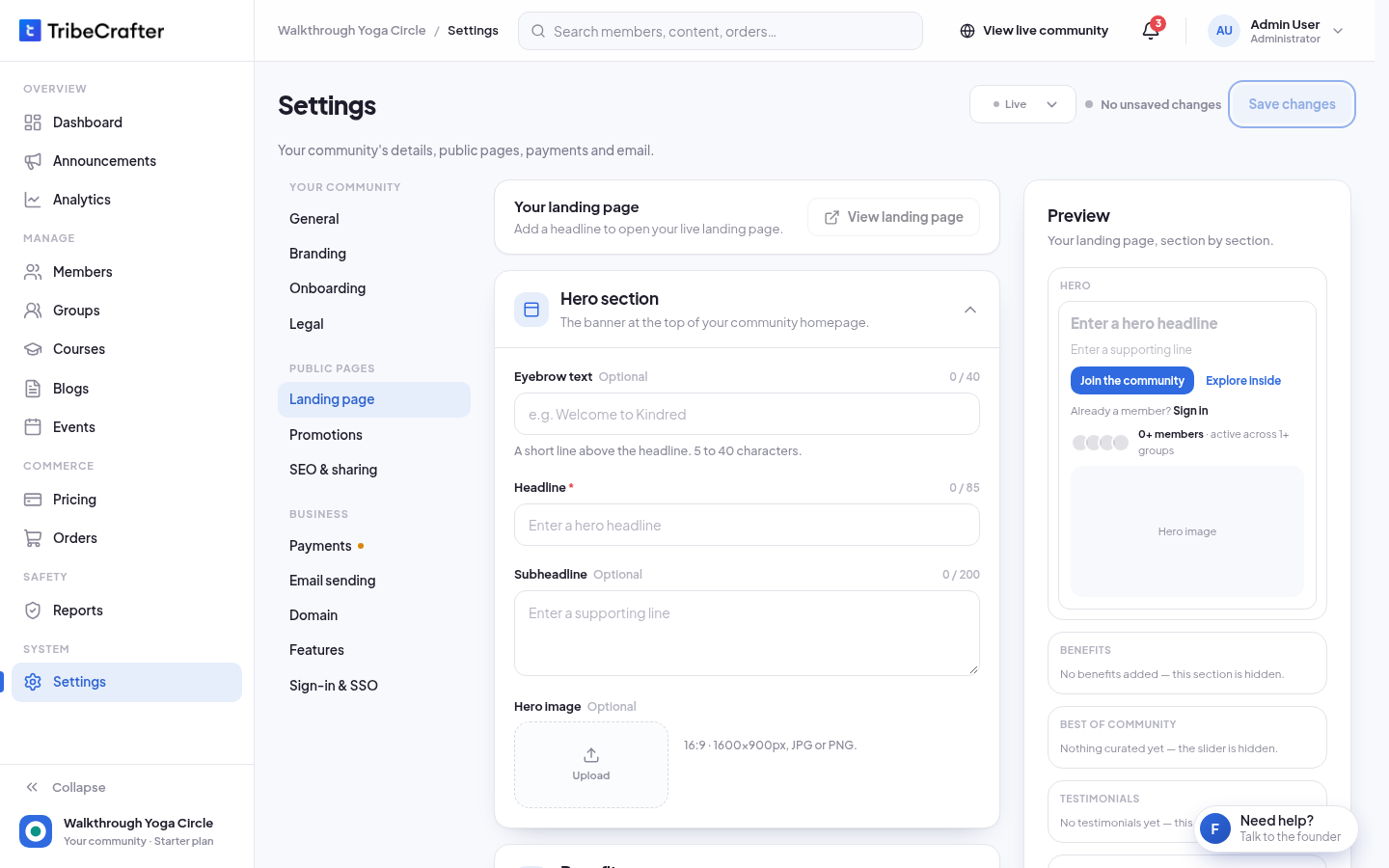
In Studio, go to Settings → Landing page.
-
Fill in each section. The Preview on the right shows your changes as you type. On a phone, tap See the preview.
-
Click Save changes. You see "Changes saved successfully."
-
Click View landing page to open the live page in a new tab.
You must add a Headline before you can save anything on this page. Until then, View landing page is off.
The sections
| Section | What you add | Limits |
|---|---|---|
| Hero section | Eyebrow text (a short line above the headline), Headline (required), Subheadline, Hero image | Eyebrow empty or 5 to 40 characters · headline 85 · subheadline 200 · image 16:9, 1600 × 900 px |
| Benefits | Reasons to join, each with a heading and a short line. Click Add benefit. | Up to 4 · heading 50 · line 150 |
| Featured on your home page | Published courses, blog posts, events or groups for the slider. Click Add featured item, pick the kind, then the item. | Up to 4 |
| Testimonials | A photo, Reviewer name, Role / company, a star rating and the quote. Click Add testimonial. | Up to 3 · name 80 · role 80 · quote 500 |
| Call to action | Heading and Subtext above the sign-up button. The button always reads "Create your free account". | Heading 40 · subtext 120 |
If you leave Benefits, Featured on your home page or Testimonials empty, that section is hidden on the live page.
Good to know
- Featured items: only published items can be picked, and events that have ended can't. The picker shows the first 20 items of each kind, A to Z, with no search.
- The fixed parts: the buttons "Join the community", "Explore inside" and "Already a member? Sign in", and the member and group counts, are always on the page. You can't edit them.
- Share picture: if you leave the social share image empty in SEO & sharing, links to your community use the hero image.
If something goes wrong
| Message | What to do |
|---|---|
| "Headline is required." | Add a headline in Hero section. |
| "Eyebrow text needs at least 5 characters." | Make it longer, or leave it empty. |
| "Pick an item, or remove this row." | A featured row has no item. Pick one or delete the row. |
| "Add the name." / "Add what they said." | A testimonial is missing its name or quote. |