Finish the 3 short onboarding steps so you can post, comment, react, message and join groups.
The first time you sign in, onboarding opens by itself. It has 3 steps: Welcome, Profile and Guidelines. It takes about 2 minutes, and you do it once.
Steps
-
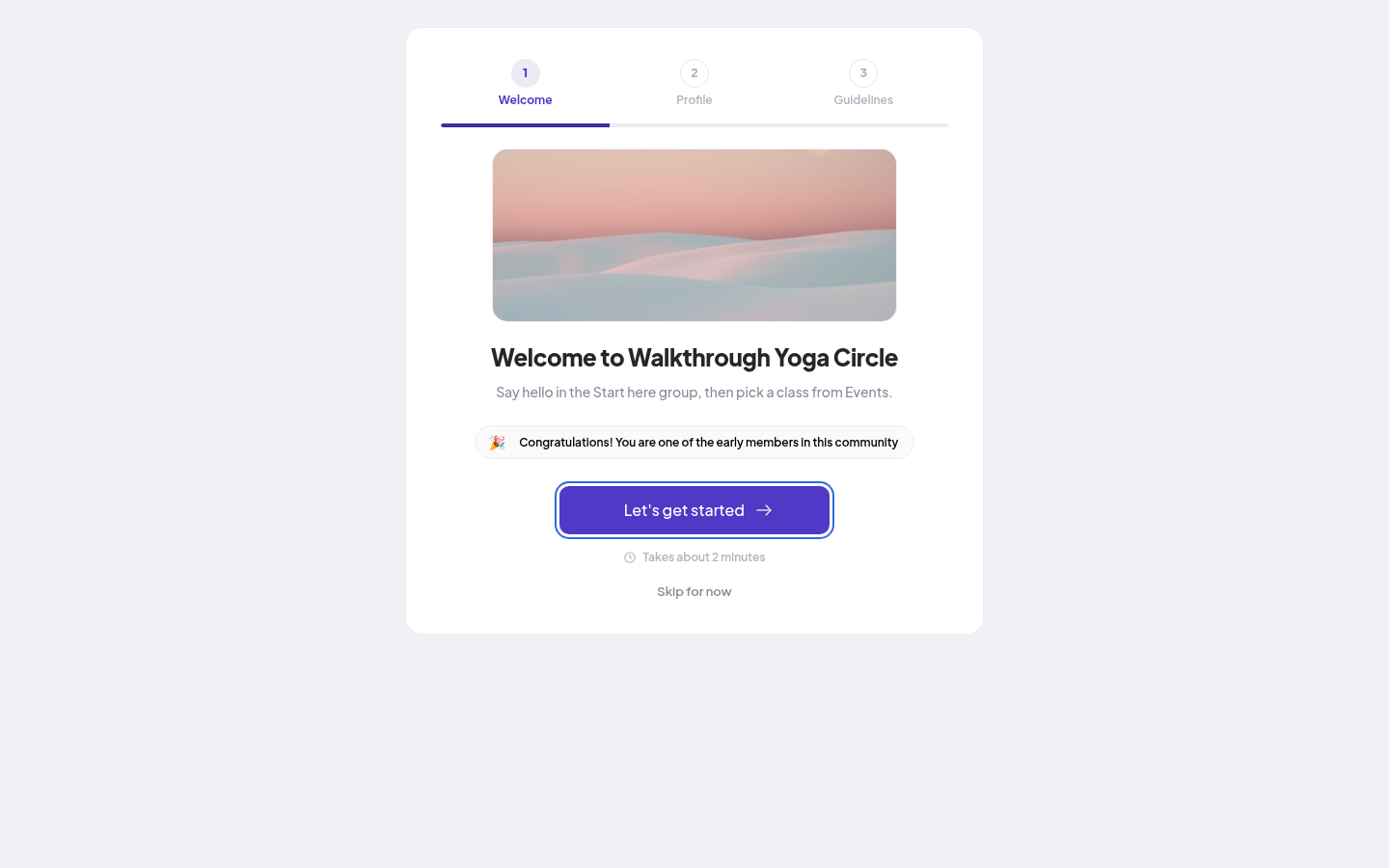
On Welcome, read the community's welcome message. Click Let's get started.
-
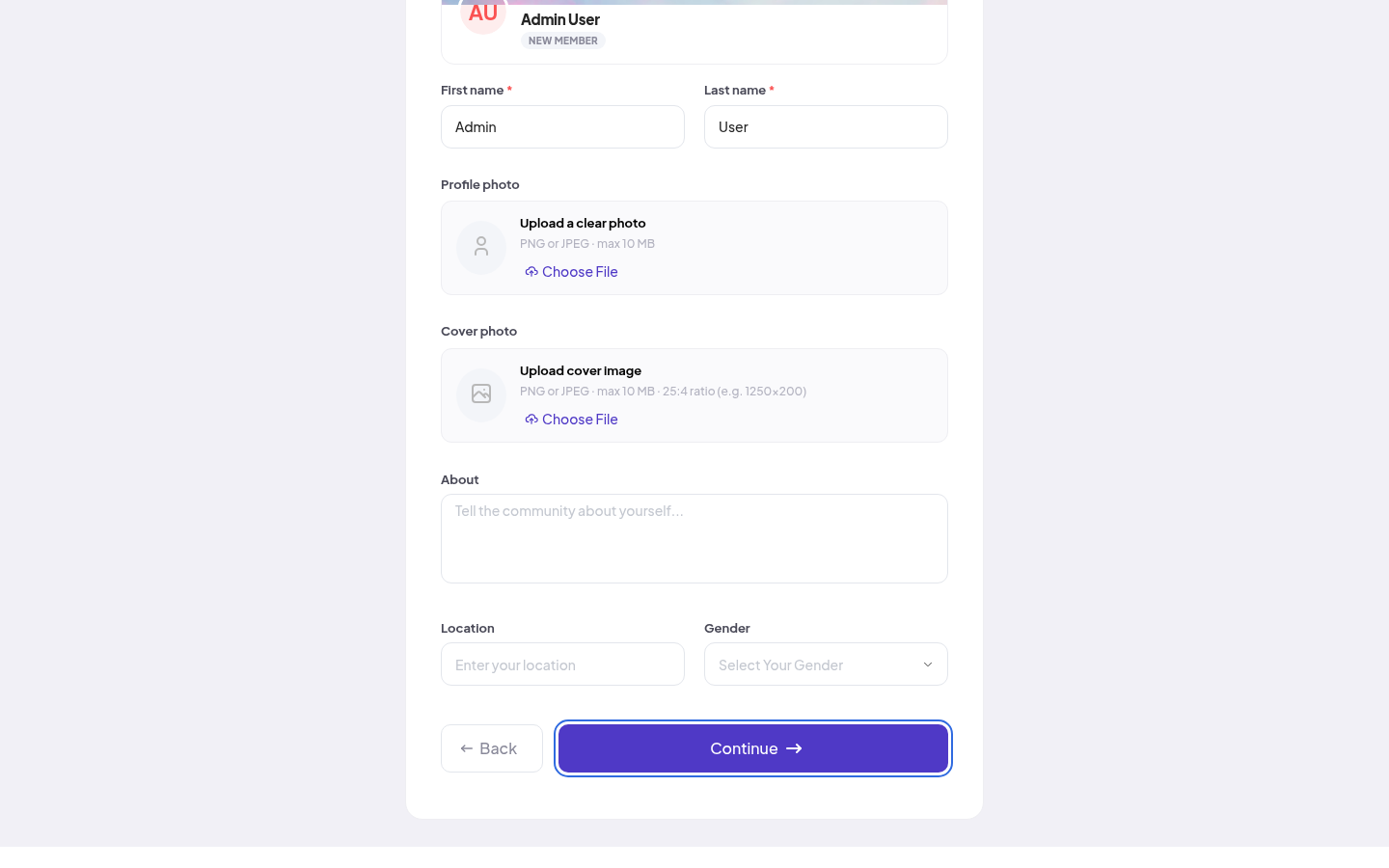
On Profile ("Set up your profile"), fill in First name and Last name. The preview at the top shows how other members see you.
-
Add the other details your community asks for. Fields with a * are required. Your community decides if Profile photo and About are required.
-
Click Continue. It stays off until the required fields are filled in.
-
On Guidelines, read the Community Guidelines.
-
Tick "I have read and agree to the community guidelines."
-
Click Enter the Community. You land on the News Feed.
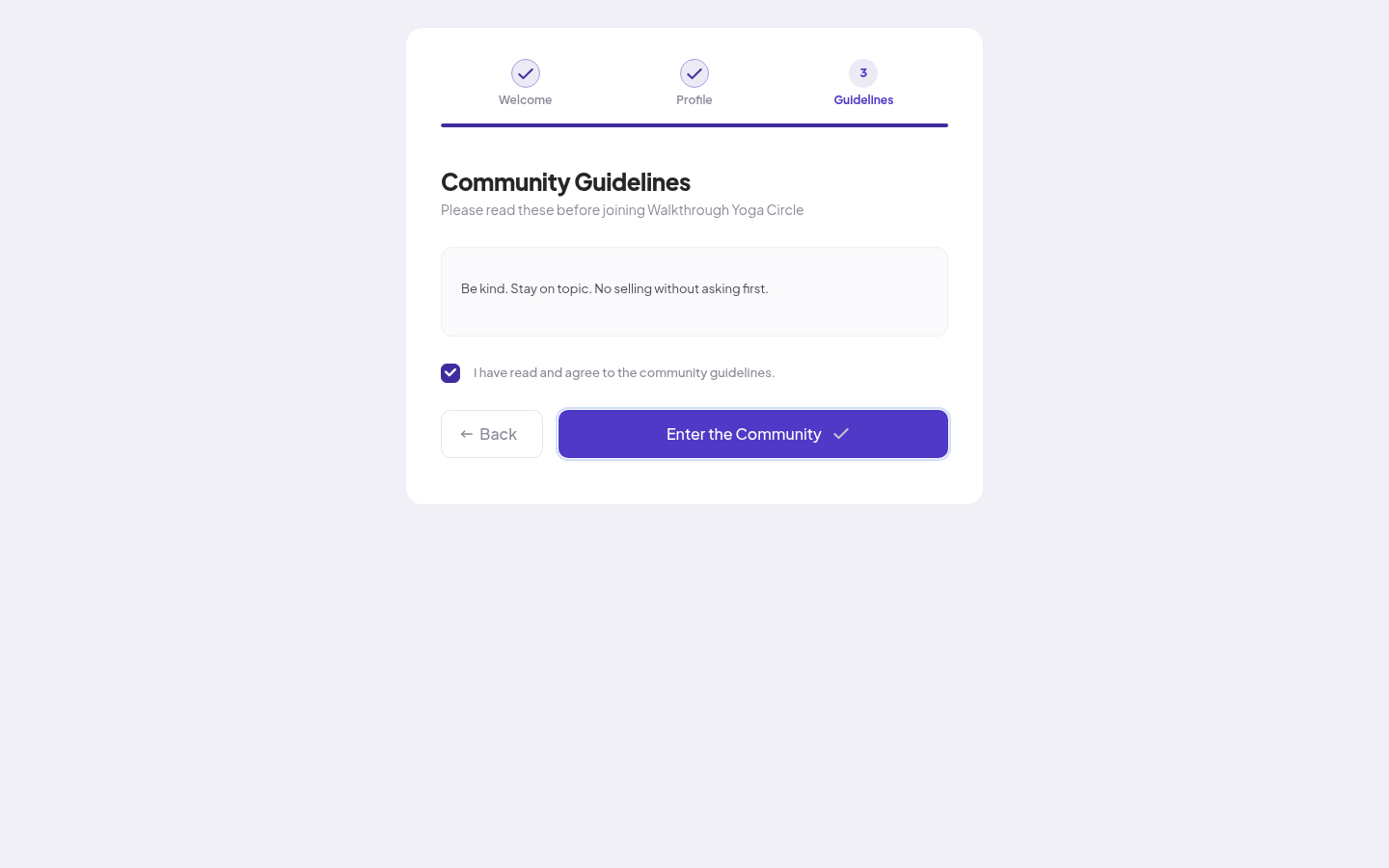
Use Back to go to the step before.
If you skip it
On the Welcome step you can click Skip for now. You can still look around: the newsfeed, members, groups, courses, the blog and events.
You can't take part yet. When you try to post, react, comment, join a group or send a message, you see "Setup required" and "Finish Your Onboarding". Click Continue setup to go back to onboarding. The same Continue setup button is in the bar at the top of the page until you finish.
After you finish
- Your community may add you to some free groups at once. You see them under Your groups on the News Feed.
- The Getting started card on the News Feed lists 4 first things to do: Complete your profile, Join a group, Make your first connections and Introduce yourself. Each one gets a tick when you do it.
- You can change your profile at any time. See Setting up your profile.
If something goes wrong
| What you see | What to do |
|---|---|
| "First name must contain only alphabets" | Use letters and spaces only, no numbers or symbols. |
| Continue stays off | Fill in every field with a *. |
| Enter the Community stays off | Tick "I have read and agree to the community guidelines." |