Change your name, photos, bio and personal details, and see who can see each part of your profile.
You fill in your profile during onboarding. You can change it at any time after that.
Steps
-
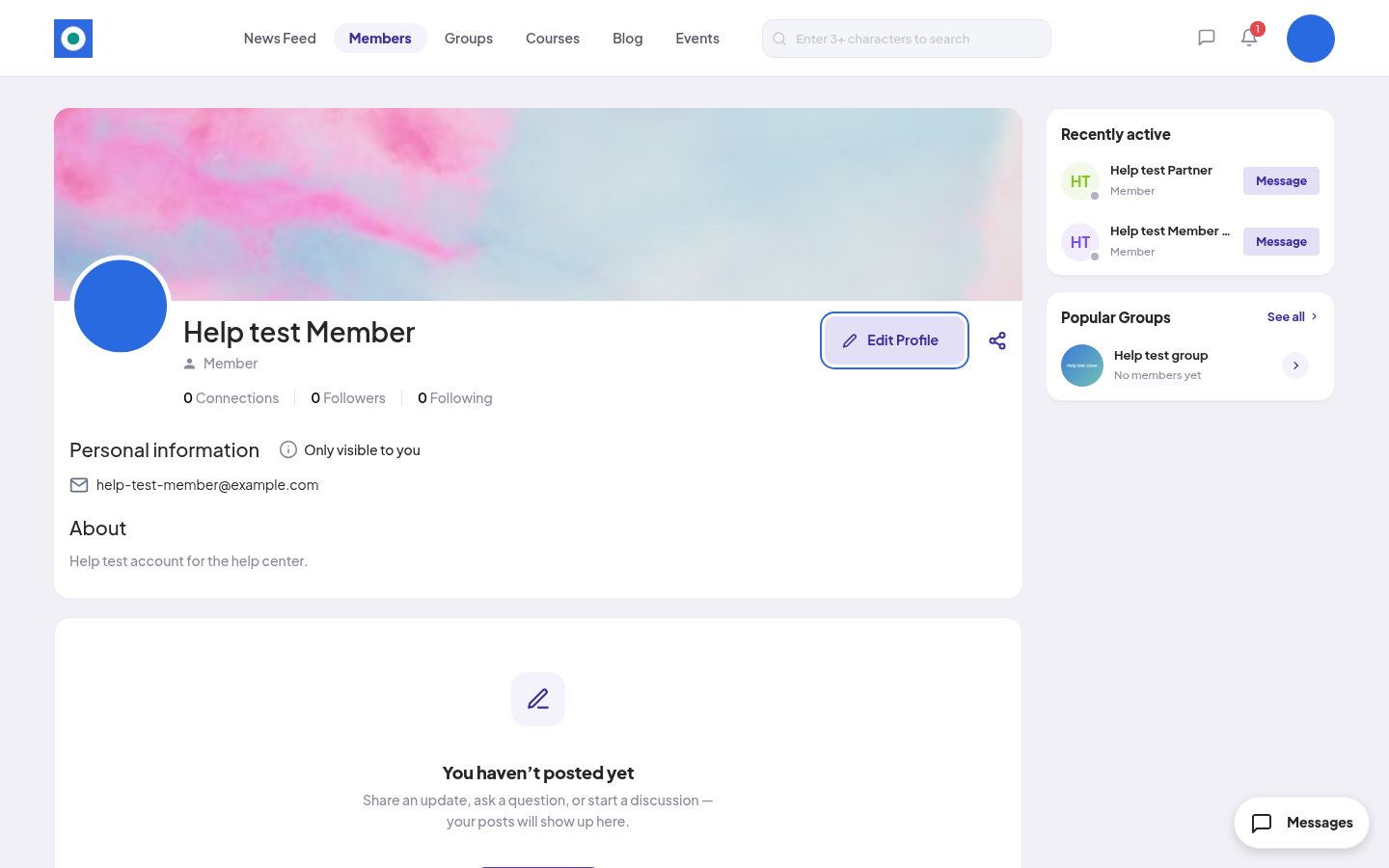
Open the account menu (your picture, top right) and click View my profile.
-
Click Edit Profile.
-
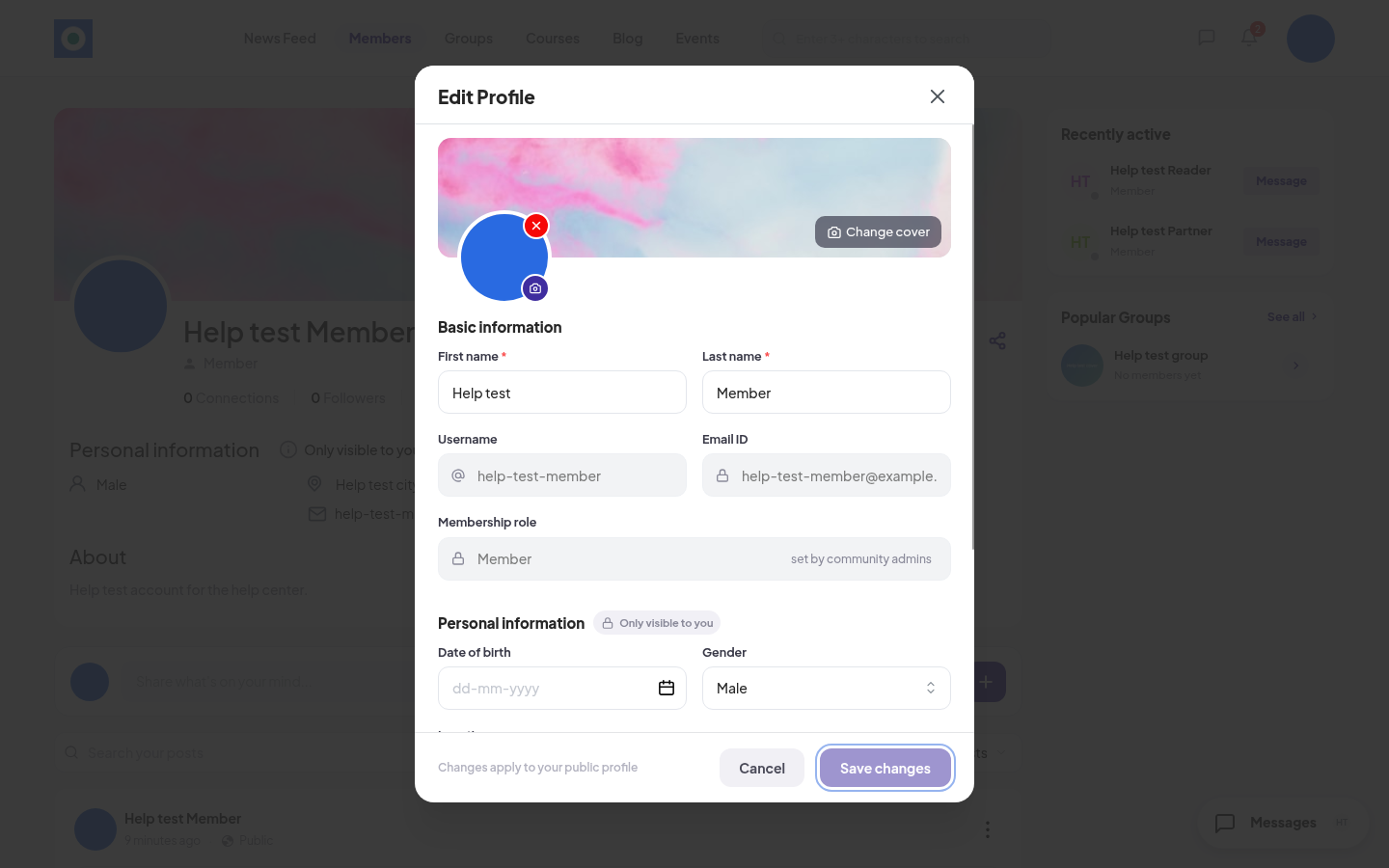
Change what you need:
- Change cover: the wide picture at the top.
- The camera icon on your photo: your profile photo.
- Basic information: First name and Last name.
- Personal information: Date of birth, Gender and Location.
- About: a short bio.
-
Click Save changes. You see "Your profile changes have been saved".
Rules and limits
| Field | Rule |
|---|---|
| First name, Last name | Required. 2 to 20 characters, letters and spaces only. |
| About | Up to 1,000 characters. If you write one here, at least 10 characters. Your community may make it required. |
| Profile photo, Cover photo | PNG or JPEG, up to 10 MB. Cover: 25:4, for example 1250 × 200 px. Your community may make the profile photo required. |
| Date of birth | Can't be in the future. |
| Username, Email ID | Shown with a lock. You can't change them here. |
| Membership role | "set by community admins". Only the community team can change it. |
To change your email, go to the account menu, click Settings, then Email Address.
Who sees what
| Part of your profile | Who sees it |
|---|---|
| Name, photos, role, and your counts of connections, followers and following | Every signed-in member |
| About | You and your connections |
| Your lists of connections, followers and following | You and your connections |
| Email, and everything under Personal information | Only you ("Only visible to you") |
See Following vs connecting for how to connect.
Good to know
If you never picked a gender, Gender shows Male when you open Edit Profile. Change it before you click Save changes if that isn't right.
If something goes wrong
| What you see | What to do |
|---|---|
| "First name must contain only alphabets" | Remove numbers and symbols. |
| "Bio must be at least 10 characters" | Write a longer bio, or clear the field. |
| "Profile image is required" | Your community needs a profile photo. Add one. |
On a phone
Tap the menu button at the top right, then Profile. Then tap Edit Profile.