Create your account with your email and a password, then verify your email so you can sign in.
Signing up is free. You don't need to buy anything to join.
Steps
-
Open the community and click Sign up at the top right.
-
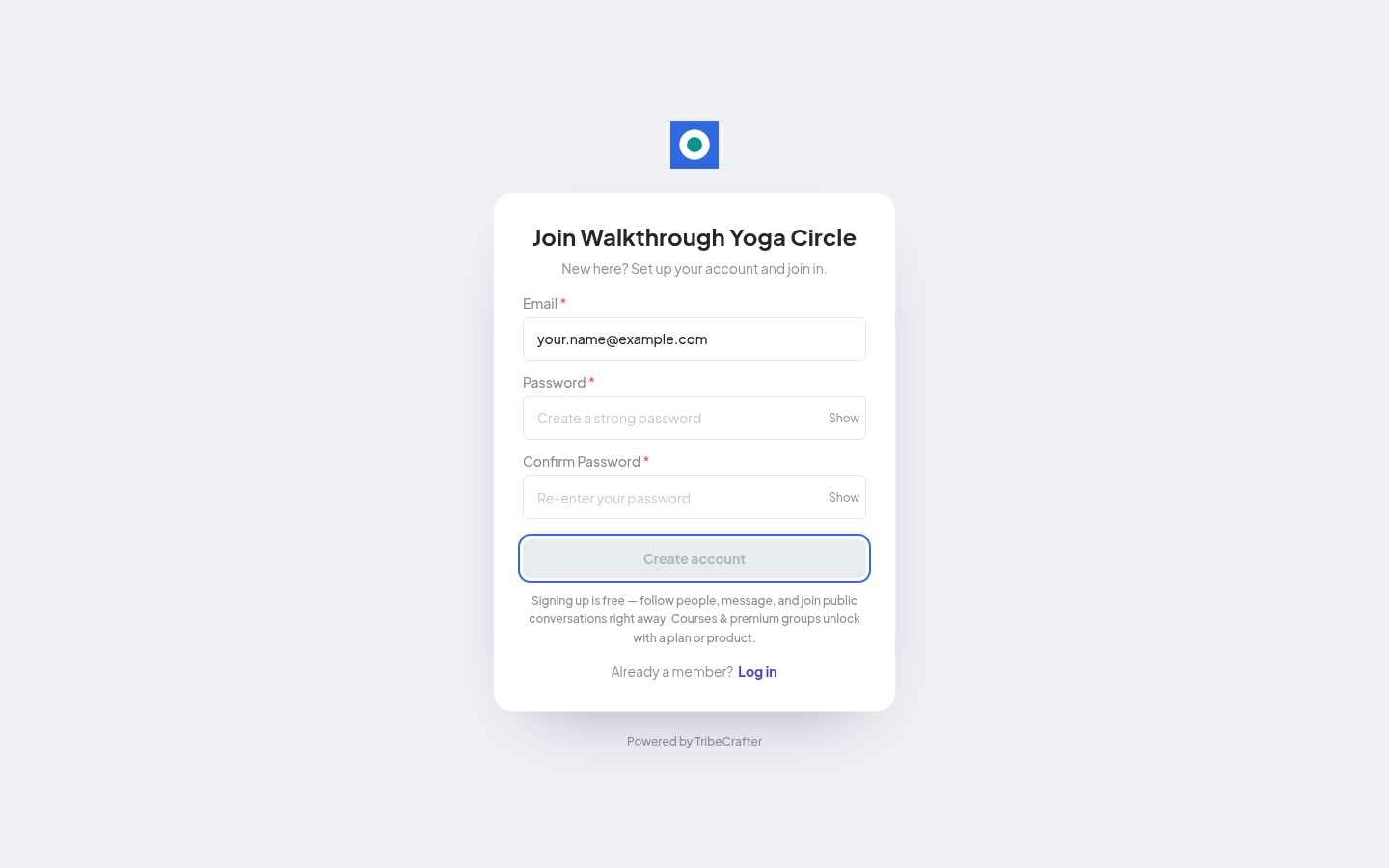
Under "Join" and the community name, fill in Email, Password and Confirm Password.
-
Click Create account. The button stays off until both passwords match and meet the rules below.
-
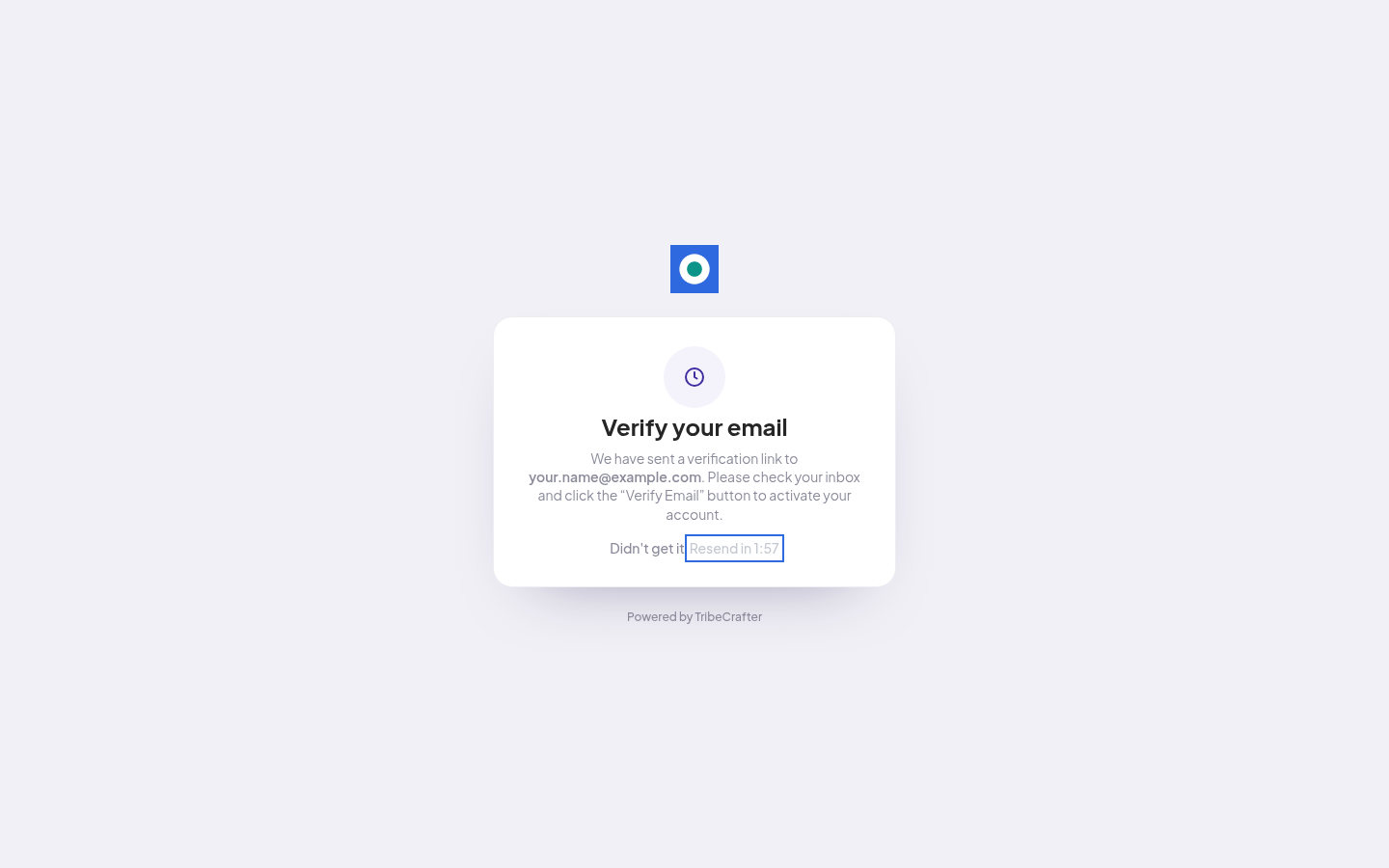
You see "Verify your email" and the address the link was sent to.
-
Open the email and click Verify Email. The link opens the community and signs you in.
-
Finish the short onboarding. See Completing onboarding.
Password rules
Your password needs all of these:
- At least 8 characters
- A number (0-9)
- A lowercase letter (a-z)
- An uppercase letter (A-Z)
- At least 1 special character, such as ! @ # $ %
If the email doesn't arrive
- Check your spam or junk folder.
- Check that you typed the address correctly on the sign-up page.
- On the "Verify your email" page, wait for the timer ("Resend in" and 2 minutes), then click Resend link.
- If you ask for the link too many times, the page asks you to wait. Try again later.
If something goes wrong
| What you see | What to do |
|---|---|
| "User with this email already exists" | You already have an account. Click Log in instead. If you forgot your password, click Forgot Password on the log-in page. |
| "Incorrect email and password combination" when you log in before you verify | Your email isn't verified yet. Open the verification email and click Verify Email first. |
| The Sign up button is missing, or the sign-up page sends you to log in | This community signs you in through its own website. On the Log in page, click the "Continue with" button. If you don't see it, ask the community team. |
Good to know
- Some communities let you sign in with the account you have on their own website. Then you also see a "Continue with" button above the form.
- After you verify, sign in on the Log in page with the same email and password.