Know what your members are told in the community, what they get by email, and what they can turn off.
In the community
Members see notifications under the bell at the top of the community. The bell shows how many are unread. Online members also see new ones pop up at once.
The Alerts page has two tabs:
- Notifications: things that happened around the member.
- Announcements: the messages you send from Studio. See Send announcements to your members.
A member gets a notification when:
| What happened | Example |
|---|---|
| Someone commented on their post | "Sam commented on your post" |
| Someone replied to their comment | "Sam has replied to your comment." |
| Someone mentioned them in a post or a comment | "Sam mentioned you in a post." |
| Someone reacted to their post or comment | "Sam has reacted to your post." |
| Someone sent them a connection request, or accepted theirs | "Sam sent you a connection request" |
| Someone started following them | "Sam started following you" |
| An admin added them to a group | "Admin added you to “Book club”." |
| A course they are in changed | "New update in course “Portrait lighting”." |
| An admin or moderator removed their post or comment |
Reactions and course updates are grouped, so a member doesn't get one notification for every reaction.
A member can mute another member's post (Mute Notifications in the post menu) to stop comment and reply notifications for it. Mentions and reactions still come through.
What you get as an admin
- Community Admins get a notification for each new report. Moderators don't. See Handle reports and moderate content.
- In Studio, the bell shows what needs you, such as reports to review. Notifications about comments, mentions and replies to you are in the community, as for any member.
By email
Your community sends these emails to members:
| When | |
|---|---|
| Confirm your email, welcome, password reset, email change | When the member signs up or changes their account. |
| Invite | When you invite someone from Members → Invite members. |
| Plan emails | When their plan is cancelled, is about to end, or has ended, and when you archive or reopen their plan. |
| Activity digest | "What you missed" when they have been away. See below. |
Announcements are never emailed.
The activity digest
The digest lists a member's unread replies, mentions and messages, and upcoming events. It goes only to members who:
- finished signing up,
- have been away from the community for at least 1 day, and
- have something unread that they haven't been emailed about yet.
A member gets at most 3 digests in one absence: after about 1 day, 3 days and 7 days. Then nothing more until they come back.
The digest goes out only while your community is live. A paused community sends none.
What members can turn off
Each member chooses their emails in the community: account menu → Settings → Notifications.
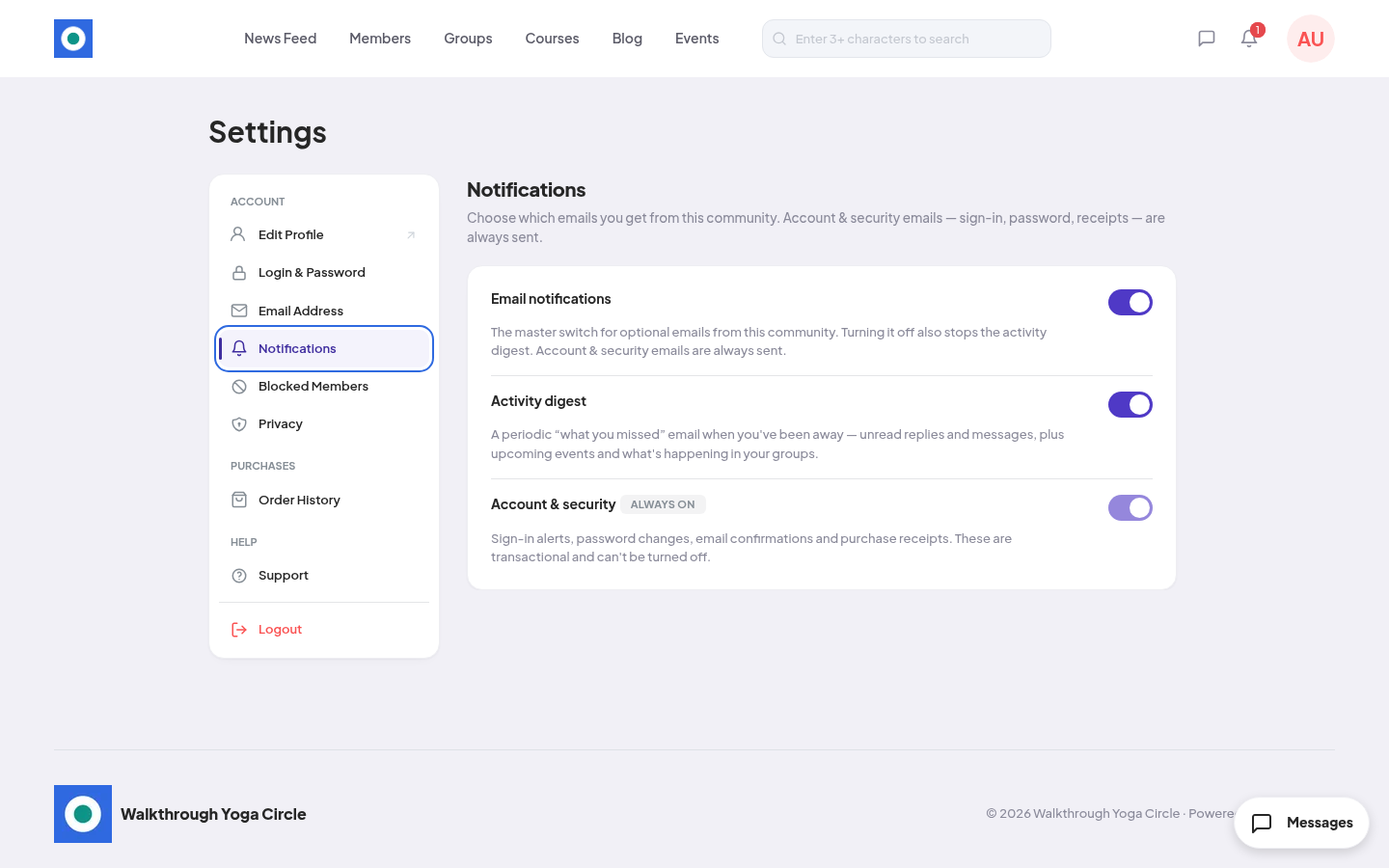
| Switch | What it does |
|---|---|
| Email notifications | The main switch for optional emails. Off also stops the activity digest. |
| Activity digest | The "what you missed" email. |
| Account & security | Always on. Sign-in, password, email confirmation and receipt emails. Members can't turn these off. |
Both switches are on for a new member. The change saves at once. The member sees "Your email preferences have been updated."
Today these switches control the activity digest only.
There is no setting to turn off notifications inside the community. A member can only mute a post, as above.