See your notifications, mark them read, and choose which emails you get.
Open your notifications
- Click the bell in the top bar. A red number shows how many are unread.
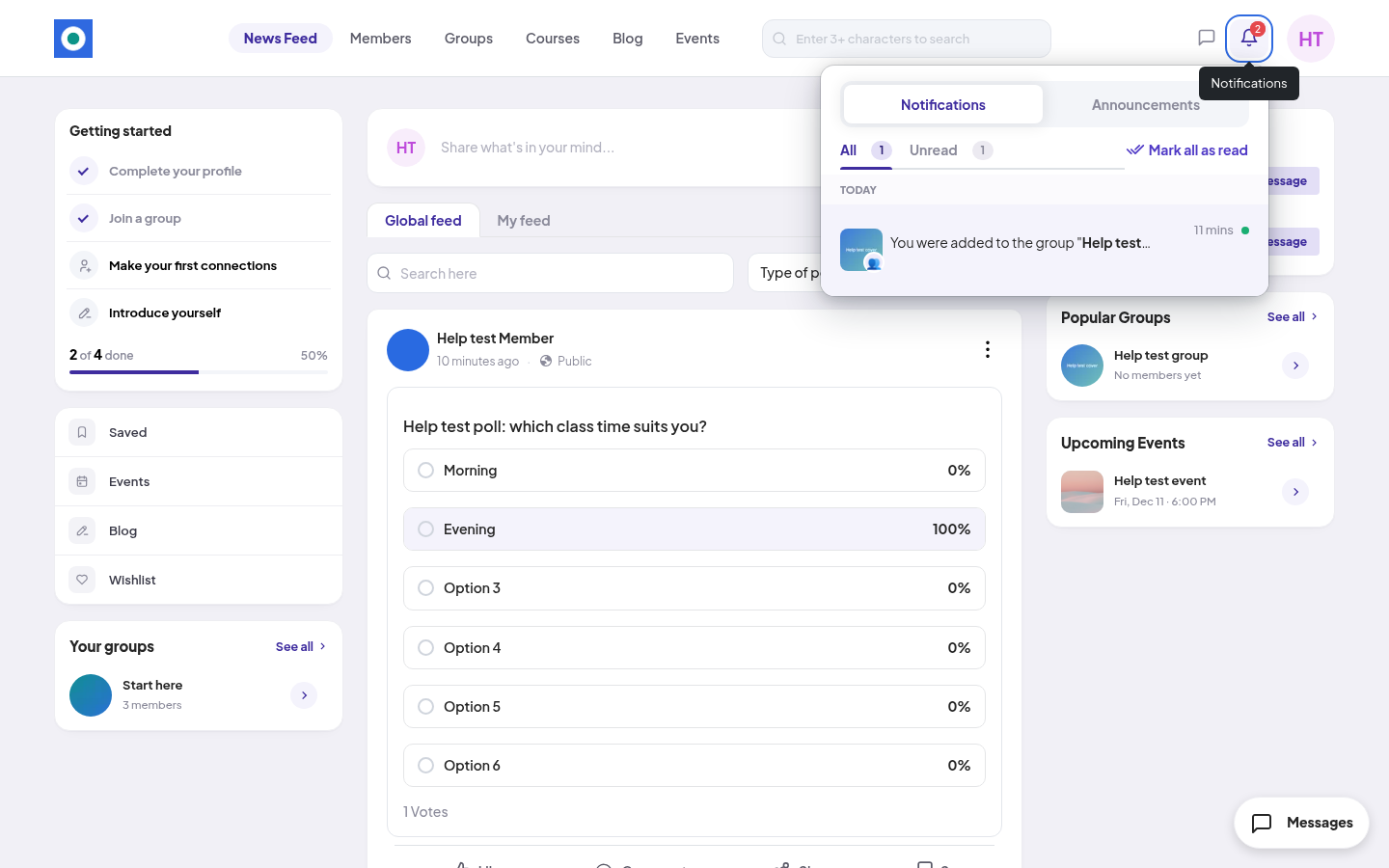
- The list has 2 tabs: Notifications and Announcements. Use All or Unread to filter.
- Click a notification to open what it is about, for example the post someone commented on.
When the list is long, click See all at the bottom to open the full Alerts page.
New notifications arrive while you are on the page. You don't need to refresh.
What you get notified about
- Comments and replies on your posts and comments
- Reactions to your posts and comments
- Mentions in posts and comments
- Connection requests, and accepted requests
- New followers
- Being added to a group
- Updates in a course you take
- A post or comment of yours that was reported
- Announcements from the community team. See Announcements you'll see.
Some notifications have a button in the list. You can Accept or Reject a connection request, or Follow back a new follower, without leaving the list.
Mark as read
- One at a time: click the notification, or point at it and click the tick (Mark as read).
- All at once: click Mark all as read.
Choose your emails
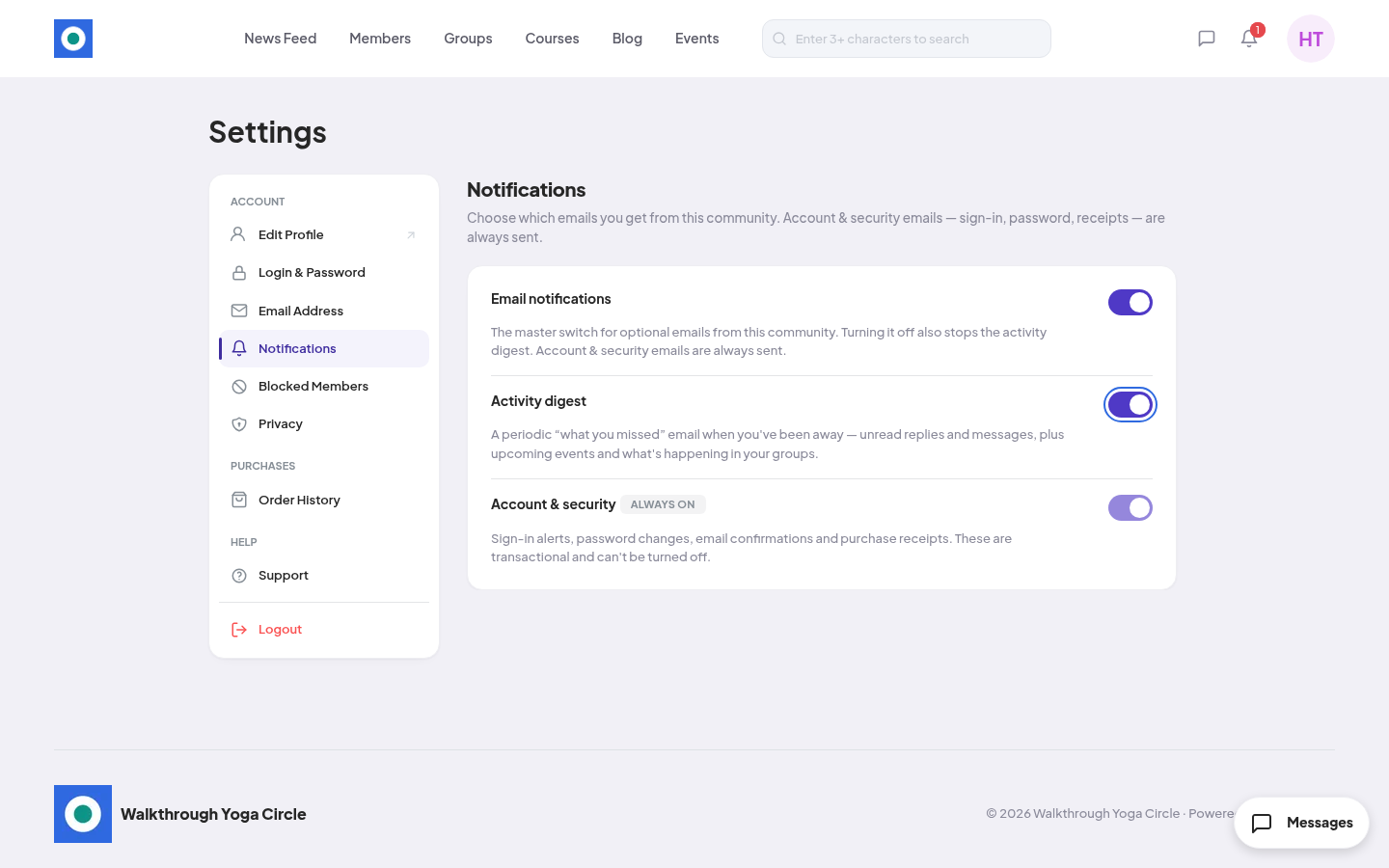
- Open the account menu (your initials or photo, top right) and click Settings.
- Click Notifications.
- Turn the switches on or off. Each change saves at once, and you see "Your email preferences have been updated."
| Switch | What it does |
|---|---|
| Email notifications | The main switch for optional emails. Off also stops the activity digest. |
| Activity digest | A "what you missed" email when you have been away: unread replies and messages, upcoming events and news from your groups. |
| Account & security | Sign-in alerts, password changes, email confirmations and purchase receipts. Always on. You can't turn it off. |
These switches change emails only. Notifications in the community always show.