Upgrade, downgrade or switch billing, update your card, or cancel, and know what happens to your access.
Upgrade, downgrade or switch billing
- In the top menu, click Plans.
- Your plan's card shows Manage Subscription. The other cards show Upgrade to … or Downgrade to ….
- To change how often you pay, pick Monthly or Annually at the top. Your plan's card then shows Switch to Monthly or Switch to Yearly.
What each change does:
| Change | When it happens | What you pay |
|---|---|---|
| Upgrade | At once. The new plan unlocks right away. | The new price for a period that starts today, less a credit for what you did not use of your old plan. Due today on the confirm page shows the amount. |
| Downgrade | At your next renewal. Until then you keep your plan and all it includes. | Nothing today. The lower price starts at the renewal. |
| Switch to Yearly | At once, like an upgrade. | The yearly price for a year that starts today, less a credit for the unused part of your month. Due today on the confirm page shows the amount. |
| Switch to Monthly | At your next renewal, like a downgrade. | Nothing today. The monthly price starts at the renewal. |
To upgrade or switch to yearly, check Confirm your upgrade and click Upgrade to … on Stripe. To downgrade or switch to monthly, check Confirm your downgrade and click Schedule downgrade to ….
To undo a scheduled downgrade, open Plans and click Downgrade scheduled on the plan card, then Cancel scheduled downgrade. You can do this any time before the renewal date.
Update your card, see invoices, or cancel
- Click Manage Subscription. It is on your plan's card in Plans, and at the top of Settings → Order History.
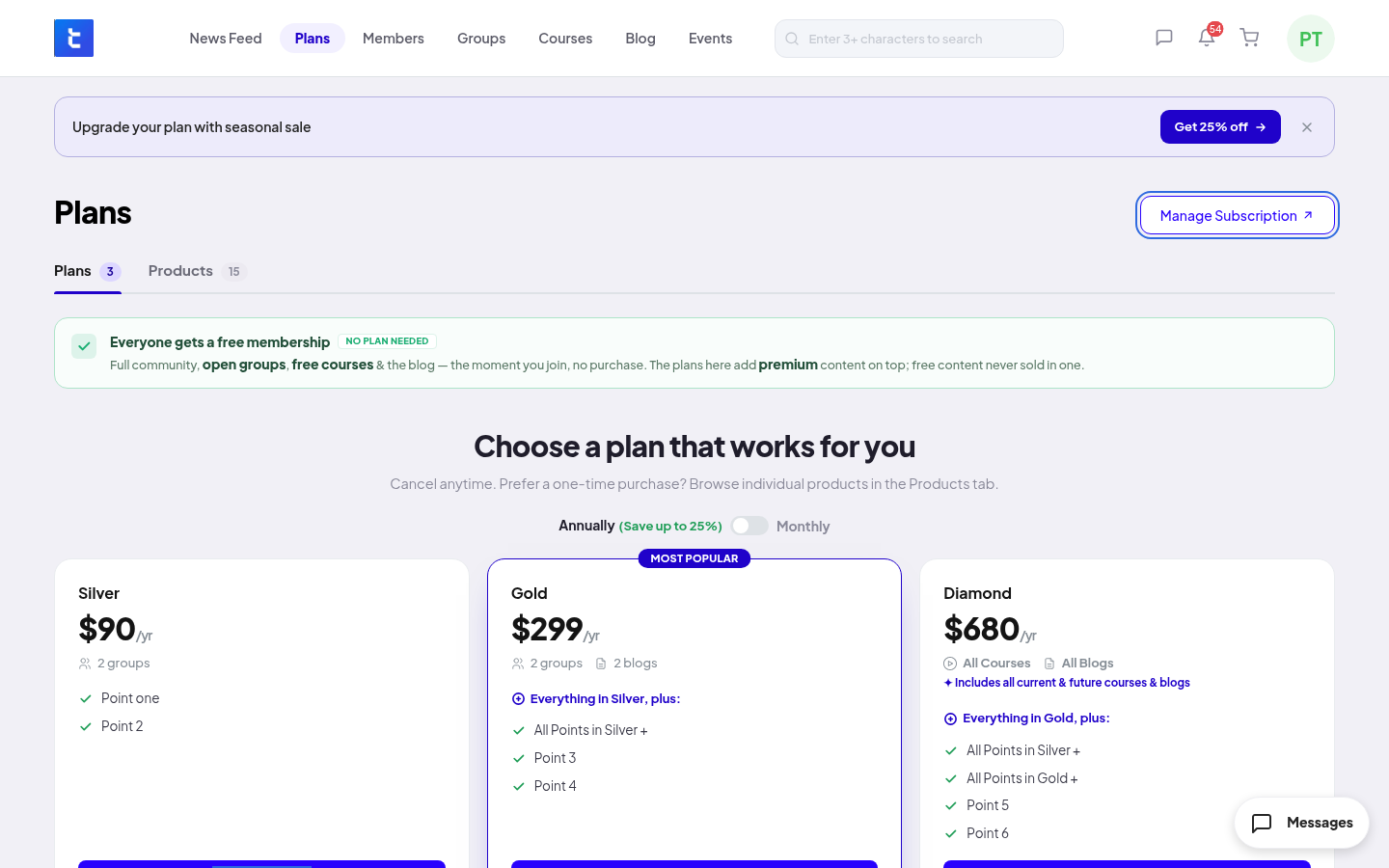
- A secure Stripe page opens. There you update your card, see your invoices, or cancel your plan.
- When you are done, go back to the community.
When you cancel
- Your plan does not renew. You keep your access until the end of the period you paid for.
- When the period ends, the access from the plan ends, and you get an email.
- If you also have a product that gives the same content, you keep that access.
- To come back, choose a plan again in Plans.
Refunds
Refunds are up to your community. Ask the community team. If they refund the full amount of a payment, the access from your plan ends at once and the plan is cancelled. If they refund part of a payment, you keep your access.