Pick a plan, pay on Stripe, and get the courses, groups and blog posts it includes for as long as you stay subscribed.
A plan is a subscription. It renews every month or every year until you cancel. Your community itself is free to join: plans add premium content on top.
Choose a plan
- In the top menu, click Plans.
- Pick Monthly or Annually at the top. Annual plans can cost less.
- Read each plan card: the price, what it unlocks, and its benefits. Click Learn more for the full list.
- Click the plan's button, for example Choose Silver or Start with Gold.
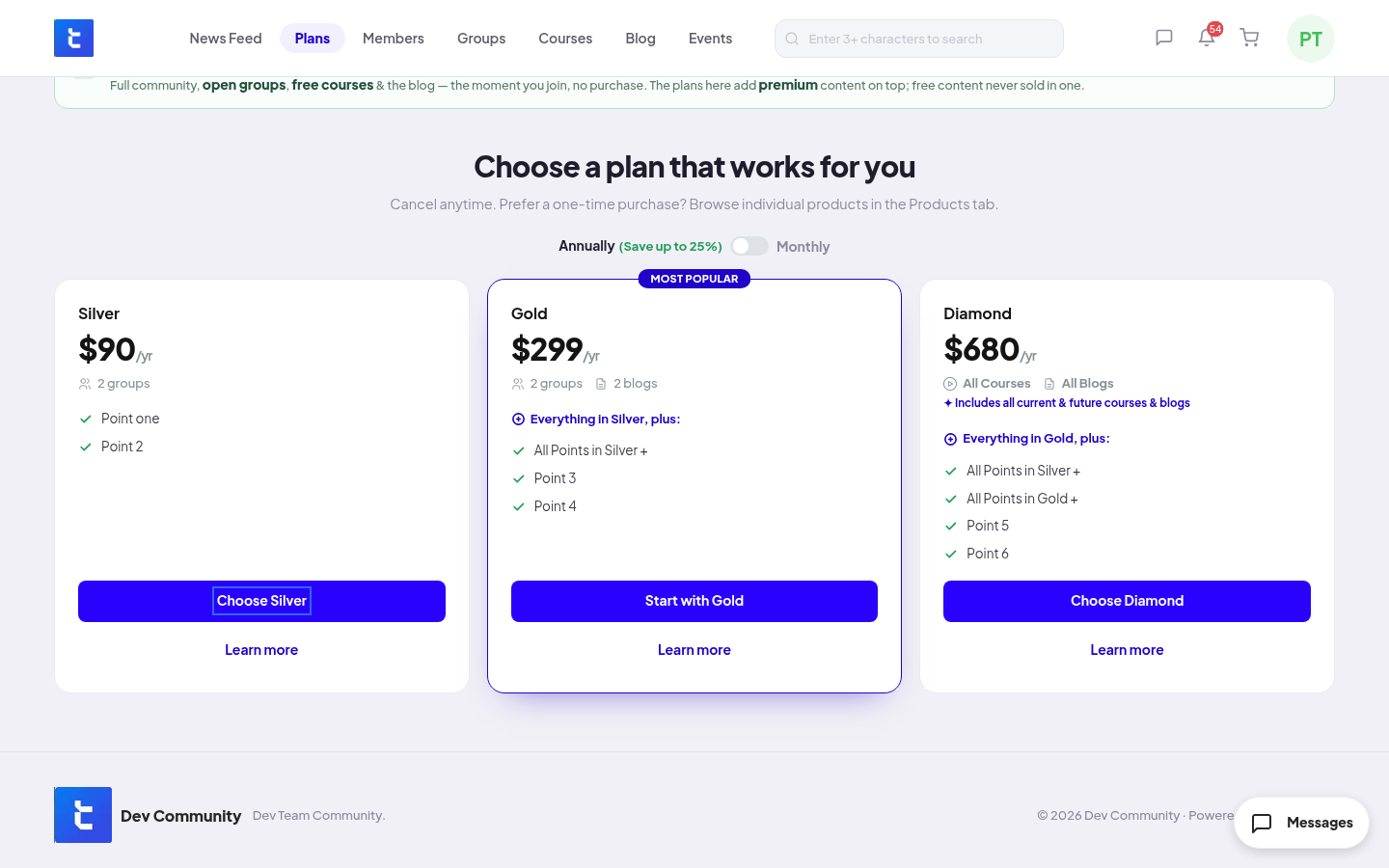
You can also start from a locked group, course or blog post: click Get Access and pick a plan.
Confirm and pay
- On Confirm your subscription, check the plan, Due today, and the date and price of the next payment.
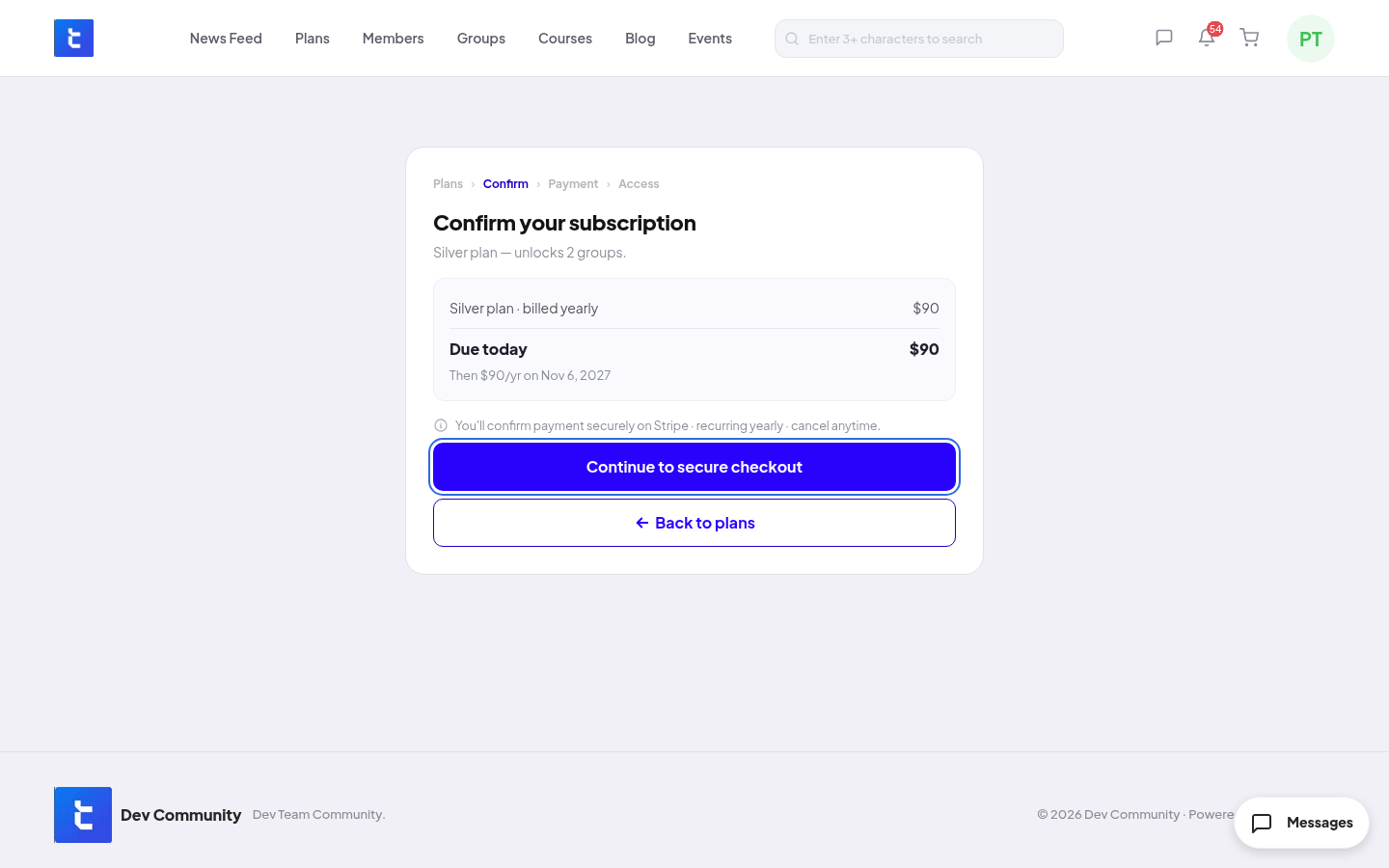
- Click Continue to secure checkout. Stripe opens in the same tab.
- Pay on Stripe. You come back to the community, and your plan is active.
To go back without paying, click Back to plans.
Rules and limits
- You can have one plan at a time. A new plan replaces the one you have.
- Your access lasts while the plan is active.
- Plans are not added to the cart. The cart is for products only.
- There are no free plans and no coupon codes.
- Each payment shows in Settings → Order History.
If the community retires your plan
The team can close a plan to new members. If you are already subscribed, it keeps renewing as usual.
If the team archives a plan, it stops renewing. You keep access until your next renewal date. You get a notice before then (7 days before for a monthly plan, 30 days for a yearly plan). Pick another plan to keep your access.
Refunds
Refunds are up to your community. Ask the community team. If they refund:
- The full amount of a payment: the access from your plan ends at once, and your plan is cancelled.
- Part of a payment: you keep your access.