See every payment, check a member's subscription, and know what a refund in Stripe does to access.
Only Community Admins can open Orders. The Stripe buttons work only for the person who connected Stripe.
The Orders page
In Studio, go to Orders. Every payment shows here: each one-time product, and each month or year of a plan. The money goes to your Stripe account.
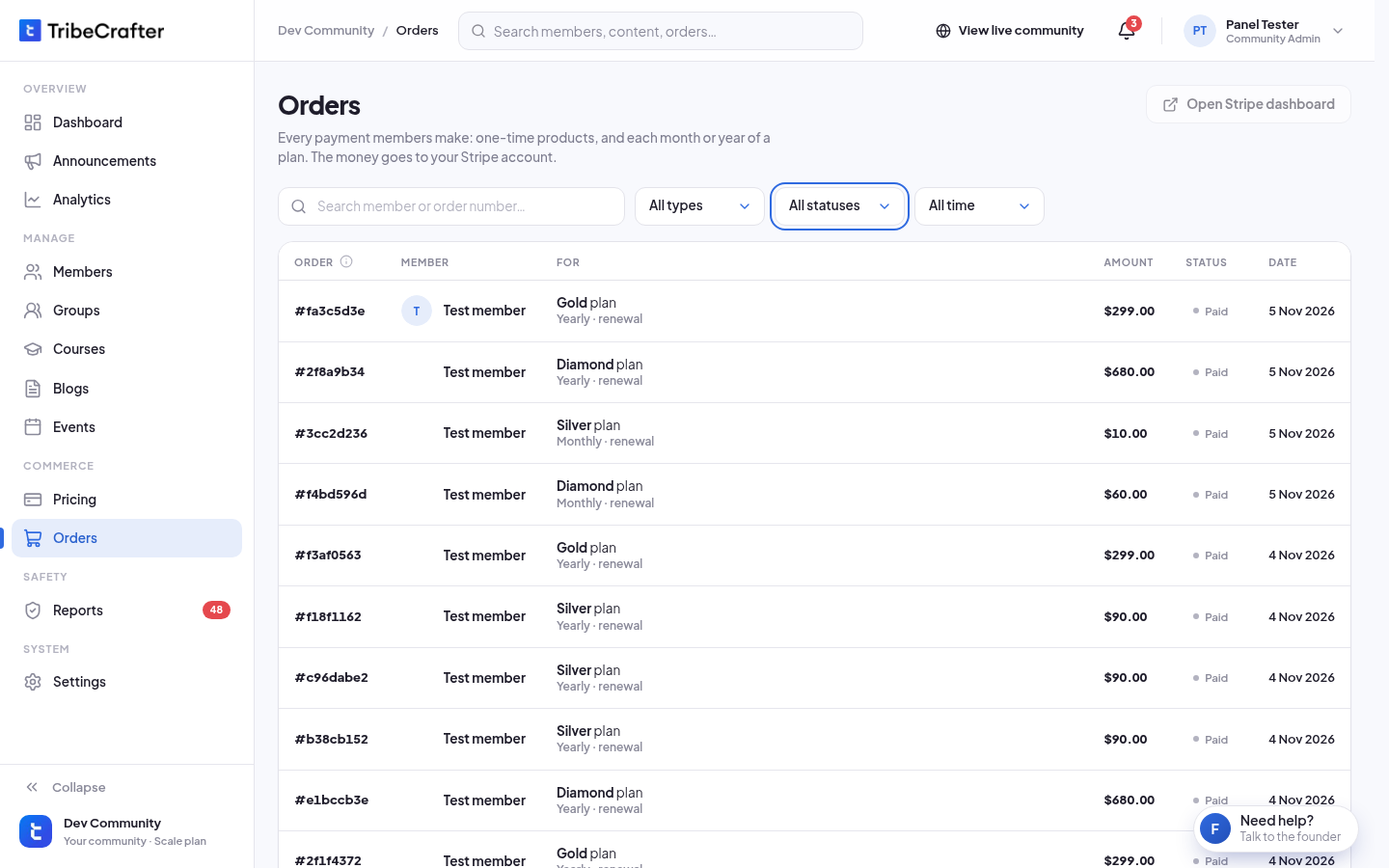
| Column | What it shows |
|---|---|
| Order | The order number. Members see it in their order history. |
| Member | Who paid. "Deleted" if the account is gone. |
| For | The plan or product, for example "Gold plan" with "Yearly · renewal". |
| Amount | What was paid. Grey if nothing was paid. |
| Status | See below. |
| Date | When the order was made. |
Search by member name, email, or the start of the order number. Filter by Types, Statuses and Time.
Each plan renewal is its own row.
Order statuses
| Status | Meaning |
|---|---|
| Paid | The payment went through. |
| Pending | Waiting for Stripe to confirm. It updates by itself. |
| Failed | The payment did not go through. No access. |
| Checkout not finished | The member left before paying. No money was taken. |
| Refunded | Refunded in full. The access from this order was removed. |
| Partly refunded | Part of the payment was refunded. The member keeps access. |
Order details
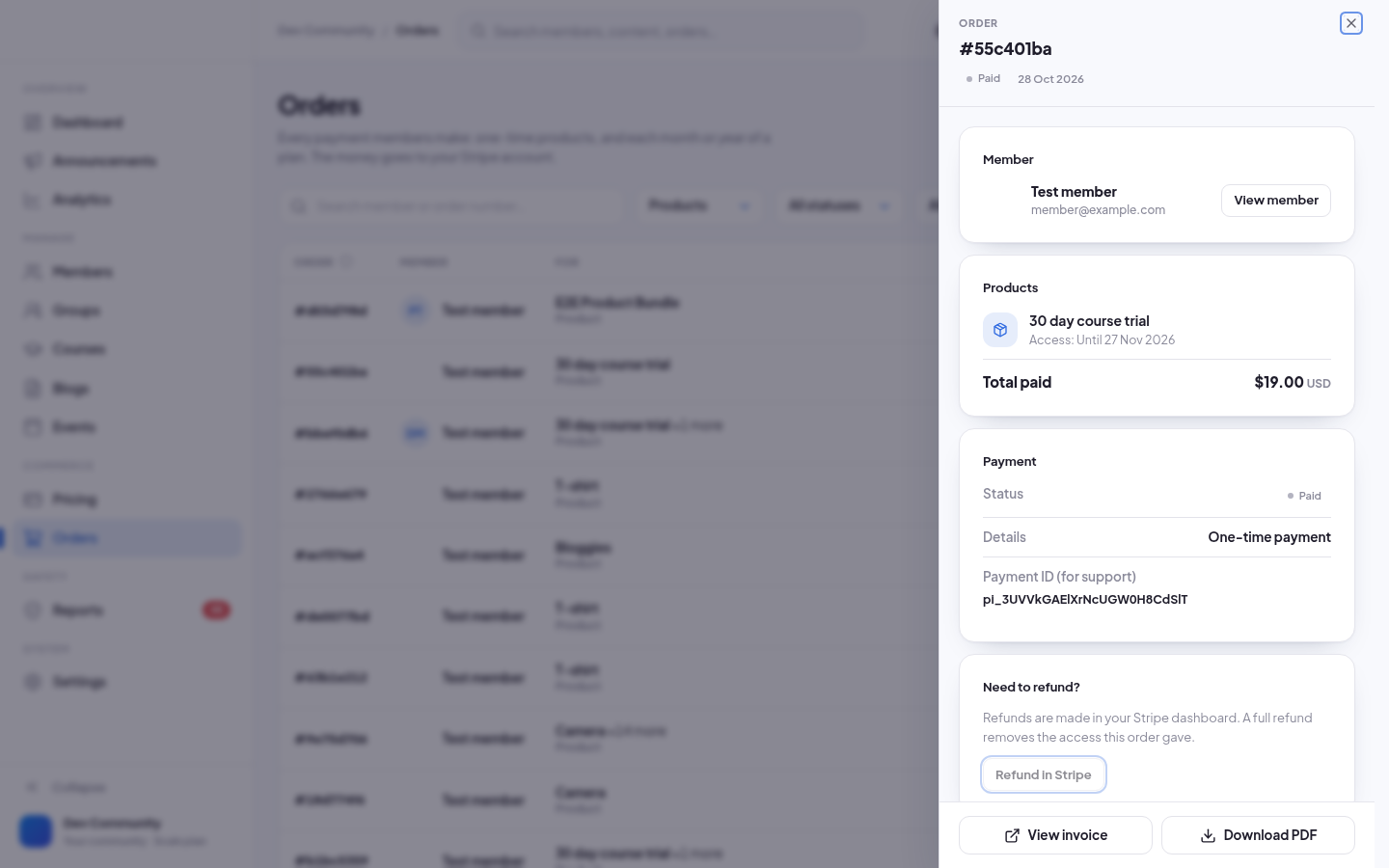
Click an order to open it. You see the member, the plan or products with their access, the total paid, and the payment details. For a plan payment you also see the subscription: Active with its renewal date, Won't renew with its end date, or Ended.
If Stripe made an invoice, use View invoice or Download PDF.
Nothing on this page changes an order. Refunds happen in Stripe.
Refunds
Studio has no refund button. You refund in your Stripe dashboard.
- Open the order and click Refund in Stripe. Your Stripe dashboard opens in a new tab.
- In Stripe, find the payment under Payments and refund it.
- Studio updates the order by itself.
What a refund does in your community:
| You refund in Stripe | Order status | Access |
|---|---|---|
| The full amount of a product order | Refunded | Removed at once. |
| The full amount of a plan payment | Refunded | Removed at once. The subscription is cancelled, so the member is not charged again. |
| Part of a product order or a plan payment | Partly refunded | The member keeps access. |
To give a member a goodwill refund and keep them in, refund part of the payment.
Subscriptions
- Members cancel or change their plan themselves, from their billing page. You can't cancel a member's plan in Studio.
- After a member cancels, the plan shows Won't renew. They keep access until the end date.
- When the plan ends, its access is removed and the member gets an email. If they have another active plan, they keep what that plan gives.
- You can't delete a member whose plan still renews.