Create a product that members pay for once, set how long access lasts, and choose what it unlocks.
A product is a single payment. Members keep access for life, or for a time you set. For a monthly or yearly payment, create a subscription plan instead. New to selling? Read How access and selling work first.
Before you start
- Who: only Community Admins can open Pricing.
- Stripe: you can save a draft without Stripe. To put the product on sale, Stripe must be ready in Settings → Payments. See Connect Stripe to get paid.
- Currency: prices are in your community's currency, set in Settings → General. It locks once any plan or product leaves draft, or once an order exists.
Create the product
-
In Studio, go to Pricing. Open the Products · one-time tab and click Create product.
-
Basics: fill in Product name (3 to 50 characters).
-
Optional: fill in Description (plain text, up to 750 characters), Web address (left blank, it is made from the name) and Product image (16:9, 1600 × 900 px recommended).
-
Click Next: Pricing.
-
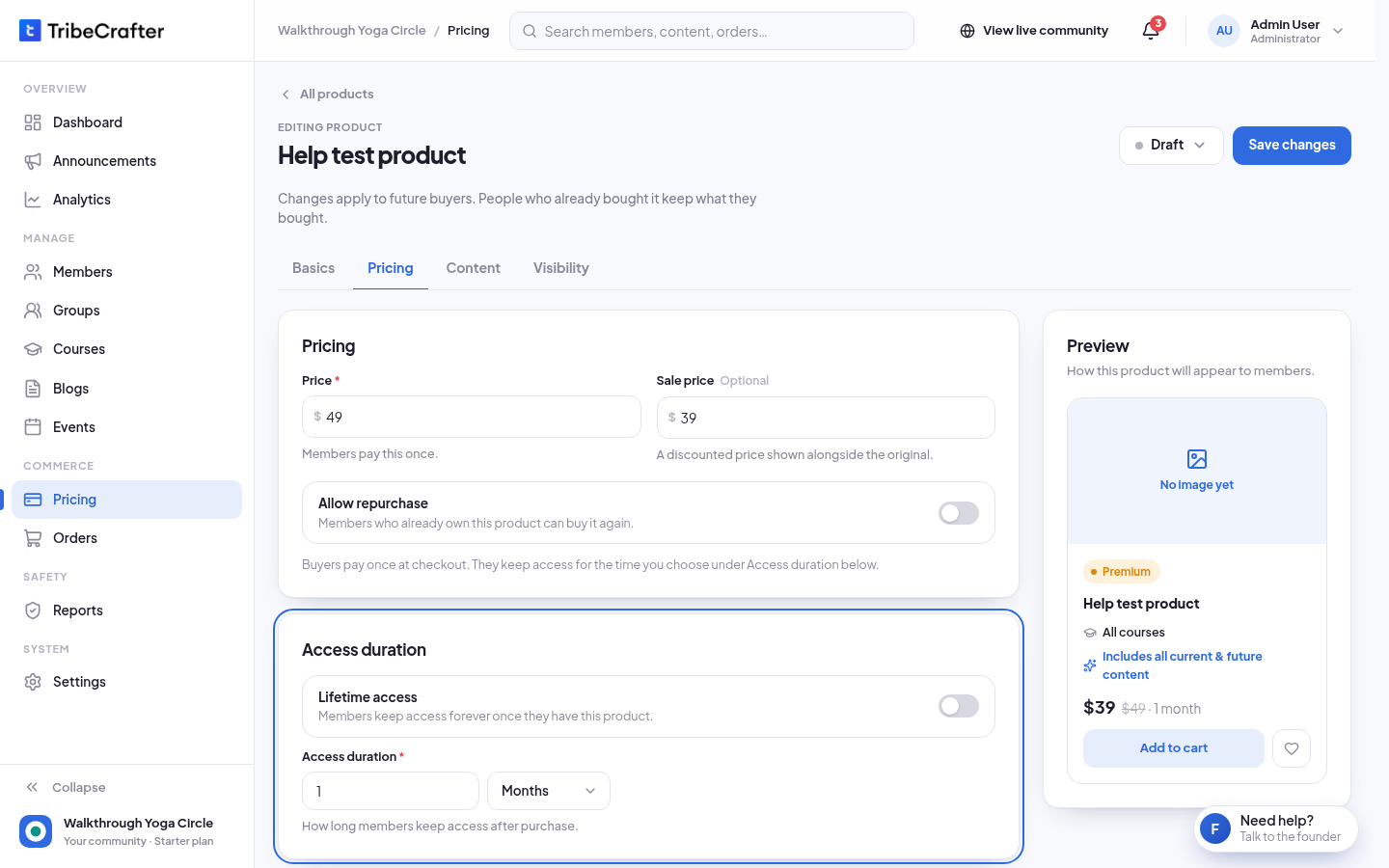
Fill in Price. Members pay this once.
-
Optional: fill in Sale price. It must be lower than the price. Members pay the sale price, shown next to the original.
-
Optional: turn on Allow repurchase so members who already own the product can buy it again. It is off by default.
-
Under Access duration, leave Lifetime access on, or turn it off and set how long access lasts: a whole number and Days, Weeks, Months or Years.
-
Click Next: Content. Turn on Courses, Groups or Blog collections, then choose everything of that type or pick items. See Choosing what a plan or product unlocks.
-
Click Next: Publish. Under Where members find it, turn on Recommended to highlight the product, and Show in Google search if you want people to find it on Google.
-
Check the Before you publish summary.
-
Click Publish product. You see "{product name} is on sale." Not ready yet? Click Save as draft. You see "Draft saved. Members can't see it yet."
Access time counts from the purchase. A month counts as 30 days and a year as 365 days.
Change a product later
Open the product and click Edit. Changes apply to future buyers. People who already bought it keep what they bought.
You can change the price and the sale price at any time.
Product statuses
To change the status, open the product, click Edit, then click the status button next to Save changes and pick a status. Confirm in the box that opens.
| Status | What it means |
|---|---|
| Draft | Only admins can see it. |
| Published | On sale. Members can buy it. |
| Archived | Off sale. Buyers keep access for the time they bought. |
When a product goes off sale, it is also removed from members' wishlists and from search.
Rules and limits
| Rule | What you see |
|---|---|
| Product name: 3 to 50 characters | "Product name must be at least 3 characters." |
| Price at least 1 | "Enter a price of at least 1. To give a group or course away, don't sell it: edit the group or course and choose Free." |
| Sale price lower than the price | "Sale price must be lower than the price." |
| Access duration in whole numbers | "Say how long buyers keep access, in whole numbers." |
| At least one content type | "Select at least one content item or choose All Content for a content type." |
- There is no limit on how many products are on sale.
- You can delete only a draft that has no orders and gives nobody access. Otherwise, archive it. On the product, click ⋯ → Delete or Archive. A greyed-out Delete shows the reason.
If something goes wrong
| Message | What to do |
|---|---|
| "Connect Stripe before you publish: members can't pay until it is set up. Save this as a draft now, and publish after you connect Stripe in Settings → Payments." | Click Save as draft. Connect Stripe, then publish the product. |
| "Free groups and courses can't be sold…" | Remove the free item from the product, or make it paid first. |
| "Courses is turned off in this community. Turn it on to add courses to a plan or product." | Turn Courses on in Settings → Features, or remove courses from the product. |