Follow members to see their public posts, or connect with them so you both see more of each other.
The difference
| Follow | Connect | |
|---|---|---|
| Who agrees | Only you. It works at once. | Both of you. The other member must accept. |
| What you see in My feed | Their public posts | Their public posts and posts they share with My Connections |
| Their About and their lists of connections, followers and following | Hidden | Shown |
| Follows | One way | You follow each other |
You don't need to follow or connect to send someone a message.
Follow someone
- Open the member's profile (click their name anywhere, or find them in Members).
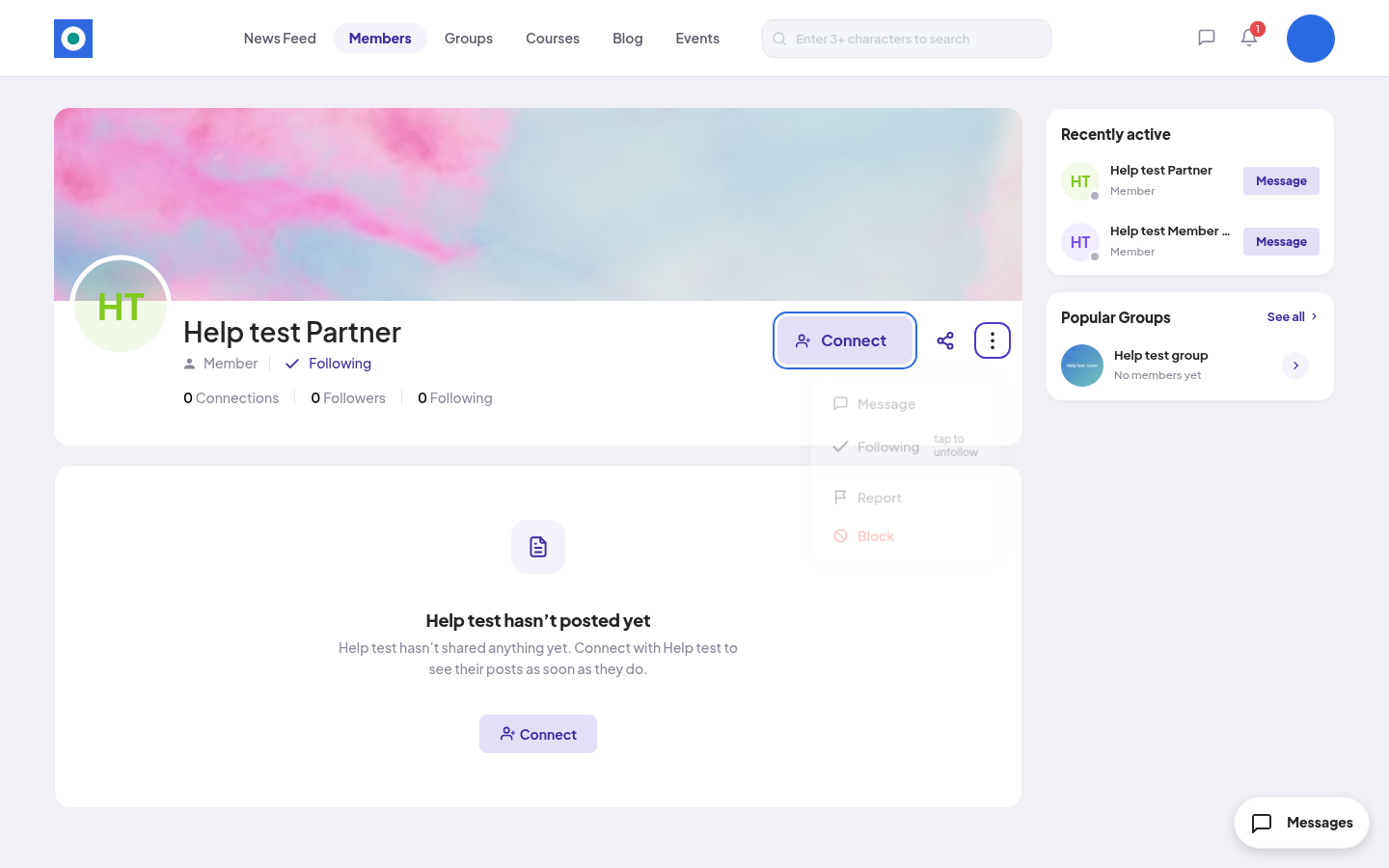
- Click the three dots at the top right of the profile, then Follow.
- You see "You're now following [name]." They get a notification.
To stop, click the three dots, then Following ("tap to unfollow"). Click Unfollow to confirm. You see "You’re no longer following [name]." They aren't told.
If someone follows you, you see Follow back in the notification and in the three-dots menu on their profile.
Connect with someone
-
On the member's profile, click Connect. You can also click Connect on their card in Members.
-
You see "You'll be notified once [name] accepts." The button changes to Pending.
Sending a request also makes you follow them. Their notification says "[name] sent you a connection request and started following you".
To take the request back, click Pending, then Withdraw. You see "Your connection request to [name] has been withdrawn."
Accept or decline a request
- Go to Members → Connection Requests. Received shows requests sent to you. Sent shows yours.
- Click Accept. You see "You're now connected with [name]." You also start following them.
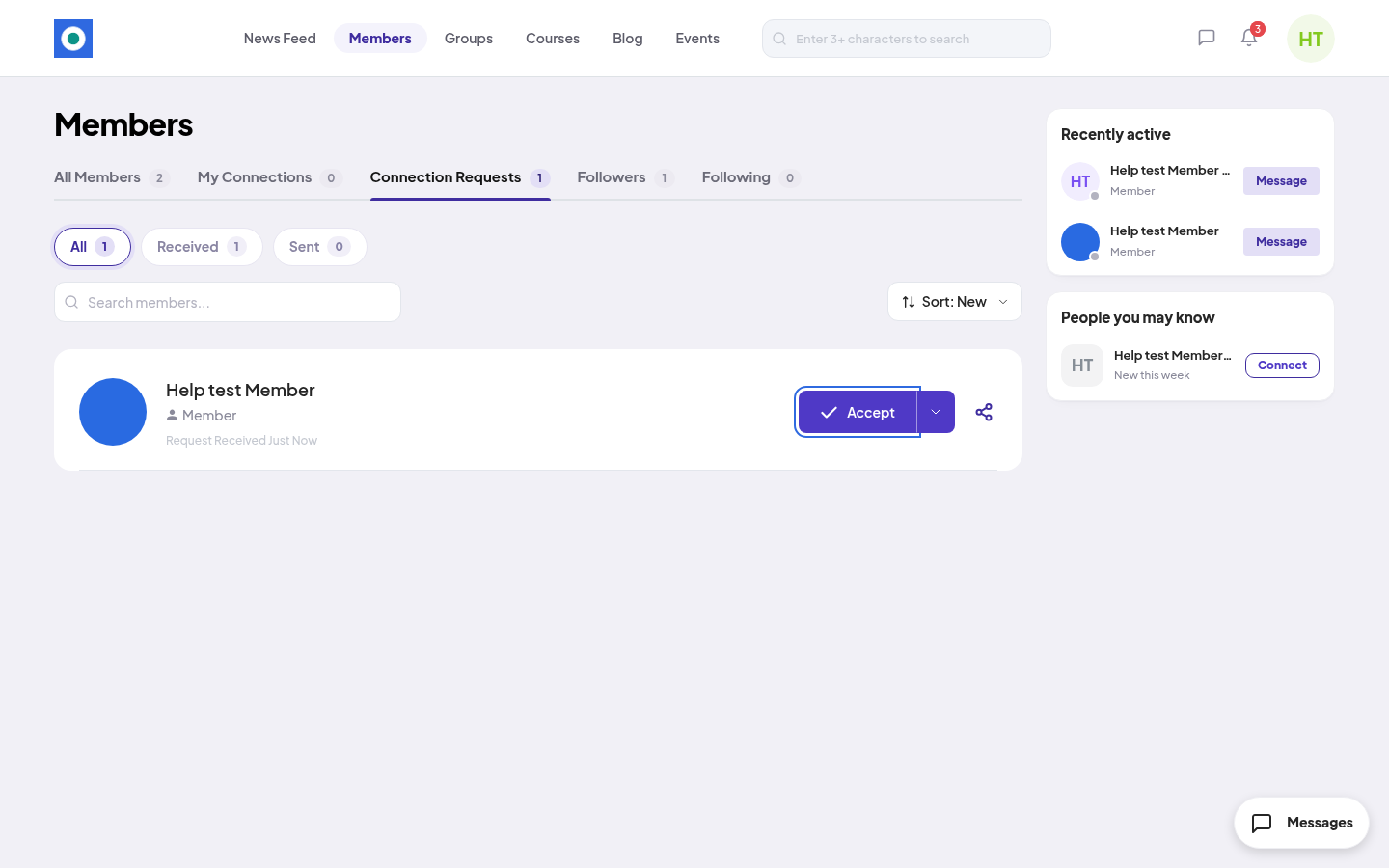
To decline, click the arrow next to Accept, then Decline. You see "you've declined [name]'s connection request."
You can also click Accept or Reject on the request in the bell.
Remove a connection
On their profile, click the three dots, then Remove Connection. Click Remove Connection again to confirm. You see "You're no longer connected with [name]." They aren't told.
Where to find your lists
Members has the tabs My Connections, Connection Requests, Followers and Following. On a profile, click the counts (for example 1 Connections) to see the lists. You can open another member's lists only when you are connected.