Learn the one rule behind selling: you make content free or paid, and plans and products sell the paid content.
Read this before you create a plan or product. The other Earn money articles build on it.
The rule: content is free or paid
You never put a price on a group, a course or a blog post. Each one is free or paid:
- Free content is open to members (or, for a public blog post, to everyone). No payment.
- Paid content is locked. Members get in only through a plan or a product that includes it.
There are no free plans or free products. Every plan and product costs at least 1 in your community's currency. To give something away, make the content free.
Make content free
| Content | Where | Choose |
|---|---|---|
| Group | Groups → the group → Edit → Access | Who can join → Free: "Any member can join with one click. No payment." |
| Course | Courses → the course → Edit → Who can join | Free: "Any member can enroll with one click. No payment." |
| Blog post | Blogs → the post → Edit → Who can read | Public: "Anyone can read it, even visitors who haven't joined." |
A free group can also have Add new members automatically turned on. Then every new member joins it when they finish onboarding.
Make content paid
- On the group or course, choose Paid: "Members get in when they subscribe to a plan or buy a product."
- Pick at least one plan under Subscription plans, or one product under One-time products, or both. To publish the group or course, at least one of them must be on sale.
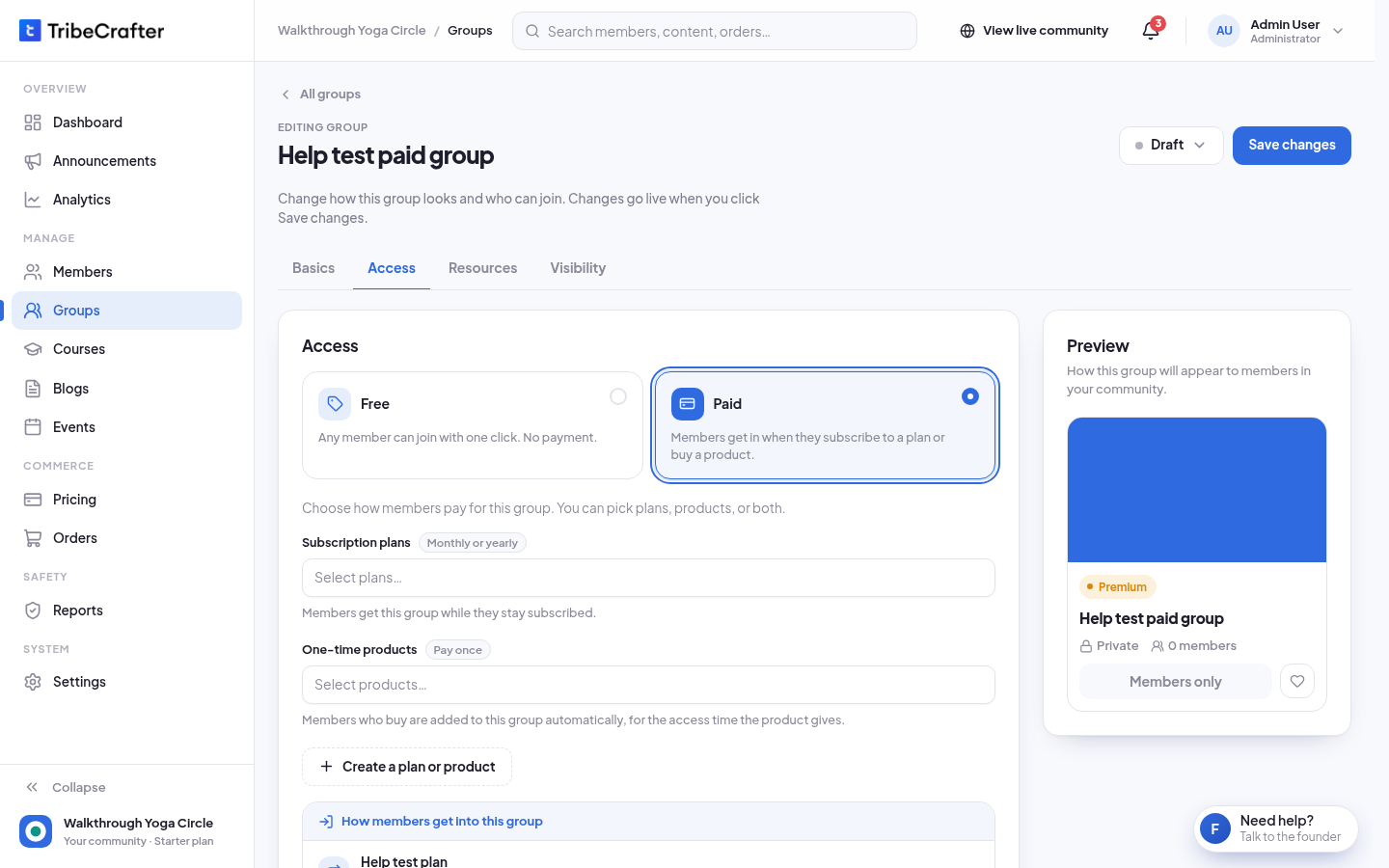
If nothing sells it yet, you see "Nobody can join this group yet." On a course, you see "Nobody can enroll in this course yet." Members see the group or course locked. Click Create a subscription or Create a one-time product to make one there. These buttons put the new plan or product on sale at once, so Stripe must be ready first. You can also add the group or course to a plan or product from Pricing. See Choosing what a plan or product unlocks.
Blog posts are sold in collections, not one by one. Choose Premium under Who can read it, add the post to a collection, then include the collection in a plan or product. Readers without access see the summary and a "Get access" button.
Events can't be sold, and plans and products can't include them.
Plans and products
| Plan | Product | |
|---|---|---|
| How members pay | Every month or every year. Every plan has both prices. | Once |
| How long access lasts | While the member stays subscribed | For life, or for a time you set (days, weeks, months or years) |
| Can you change the price later? | No. Prices lock when you create the plan. | Yes. Past buyers are not affected. |
| How many on sale | Up to 4 at a time | No limit |
| Where | Pricing → Plans · subscriptions | Pricing → Products · one-time |
A higher-priced plan always gives everything in the cheaper plans that are on sale. Members see "Everything in {cheaper plan}, plus:" on the plan.
Selling needs Stripe
You can make and save drafts at any time. To put a plan or product on sale, Stripe must be ready in Settings → Payments. See Connect Stripe to get paid. You don't need Stripe to go live.
Give one member paid content for free
Only Community Admins can give access. To unlock paid content for one member without payment, open Members, open the member and click Give access. No plan or product is needed. See Managing your members.