Learn the 5 roles, what each one can open in Studio, and what each one can do there.
Everyone in your community has one role. Everyone starts as a Member. The other 4 roles open Studio, each for its own part. People in those roles open Studio the same way you do: from the account menu in the community, with no second password.
The 5 roles
| Role | Opens in Studio | Team seat |
|---|---|---|
| Member | Nothing. Uses the community. | No |
| Community Admin | Everything: all of Studio, including pricing, orders and settings. | Yes |
| Community Moderator | Members, Groups and Reports. | Yes |
| Course Manager | Courses only. | No |
| Blog Manager | Blogs only. | No |
Every role keeps what a member can do in the community. Admins and moderators also get every group, course and blog post without buying them.
What each role can do
Studio checks every action on the server. Some roles see buttons in Studio that don't work for them. This list says what works.
Community Admin
- Can do everything in Studio.
- Some settings are for the owner only (the person who created the community in their TribeCrafter account): Domain, Email sending, Sign-in & SSO and billing. Stripe on Settings → Payments works only for the person who connected it.
- Only the owner can change another Community Admin's role or suspend them.
Community Moderator
- Reports: reviews reports and removes or keeps the reported content.
- Groups: opens groups and removes posts. Can't remove a post by an admin.
- Members: sees the members list, without emails. Can suspend and reactivate Members, Course Managers and Blog Managers, but not other moderators or admins.
- Can't change roles, give access, see a member's orders, delete members, remove someone from a group, or create, edit or archive groups. Studio shows some of these buttons to moderators, but they fail.
- Doesn't get a notification for new reports. Only Community Admins do. Moderators find new reports on the Reports page.
Course Manager
- Creates and edits any course, with its sections and lessons.
- Can't put a course in a plan or product. For a paid course, they ask an admin from the Who can join step, and the admin adds it to a plan or product.
- Can't delete courses or unenroll members.
Blog Manager
- Writes and edits blog posts and creates categories.
- Can delete only their own posts.
- Can't create, change or delete blog collections, and can't change which collections a post is in. Studio shows these controls, but the changes don't save. Ask an admin to set a post's collections.
No role sees member emails except Community Admins.
Change someone's role
Only Community Admins can change roles.
- In Studio, go to Members and open the member.
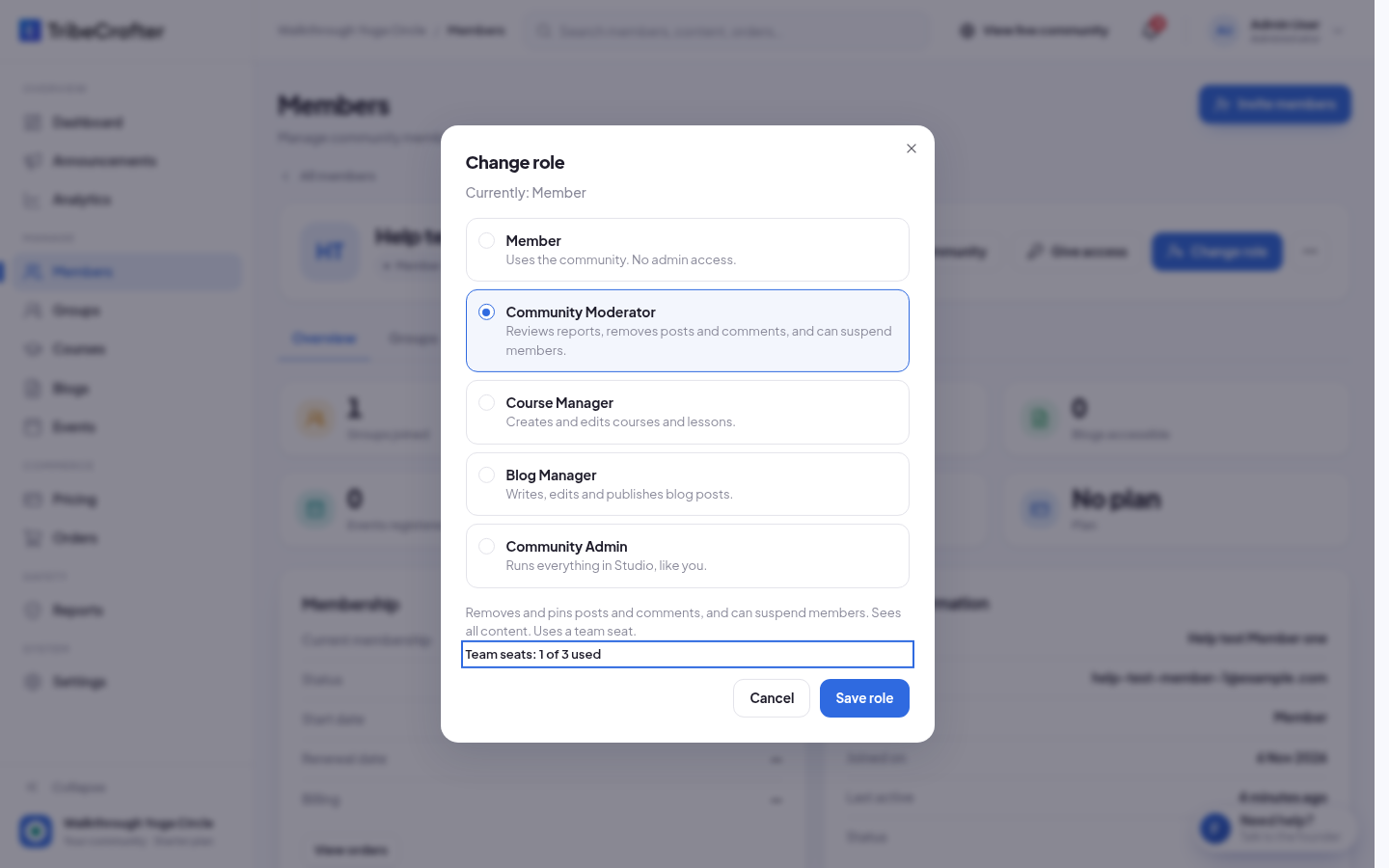
- Click Change role. The dialog shows "Currently:" and their role.
- Pick the new role. A line under the list says what the role can do.
- Click Save role. You see "Member role updated successfully."
The change works at once. The person is signed out everywhere and signs in again with the new role. If you change an admin or moderator back to Member, they lose the free access to all content that their role gave them.
You can also change roles from the ⋯ menu on a row, or for several people at once: tick them in the list and click Change role in the bar that appears.
Team seats
Community Admins and Community Moderators each use a team seat. Course Managers and Blog Managers don't. The number of seats comes from your TribeCrafter plan. The Change role dialog shows it, for example "Team seats: 1 of 3 used".
- Suspended staff don't use a seat.
- Moving someone between Community Admin and Community Moderator keeps their seat.
- When no seat is left, Save role stays off. Upgrade your TribeCrafter plan, or change another admin or moderator to a different role first.
Rules
- Nobody can change their own role. You see "This is you. You can't change your own role."
- On another Community Admin's page, Change role and Suspend member are off, with "Only the community owner can change another Community Admin." This shows for the owner too. The owner can still change a co-admin's role: tick them in the Members list and click Change role in the bar.
- Only TribeCrafter support can delete a Community Admin.
- There is no role for one group only. A Community Moderator moderates the whole community.